
Overview
Toggling Ethernet allows you to turn the Ethernet connection on or off on the device.
Steps
- Select the Settings icon on the home screen.
- At the password prompt, enter pax9876@@ and tap OK.
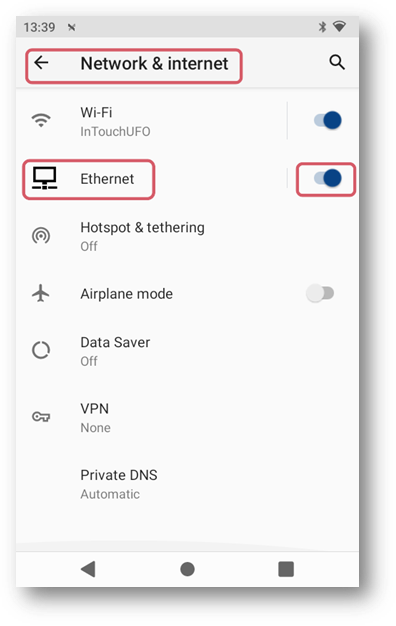
- Open the Network & Internet settings.
- Scroll down to Ethernet.
- Toggle Ethernet on or off with the toggle icon next to the Ethernet option.
Outcome
You can turn Ethernet on or off on the device.
Troubleshooting
- You cannot access Settings - Confirm you selected the Settings icon on the home screen.
- The password does not work - Try pax9876@@. If the password was changed on the device, use the updated password.
- You do not see Ethernet - Open Network & Internet and scroll down until Ethernet is visible.