TABLE OF CONTENTS
Ordering Credit Card Printer Paper
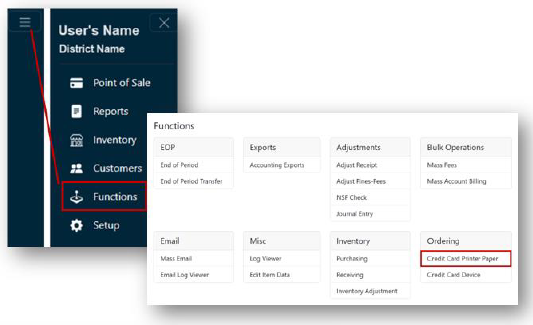
- From the Main Menu, select Functions.
- Click Credit Card Printer Paper under the Ordering header.
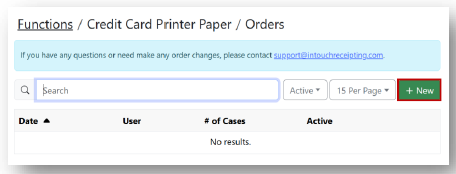
- Click + New.
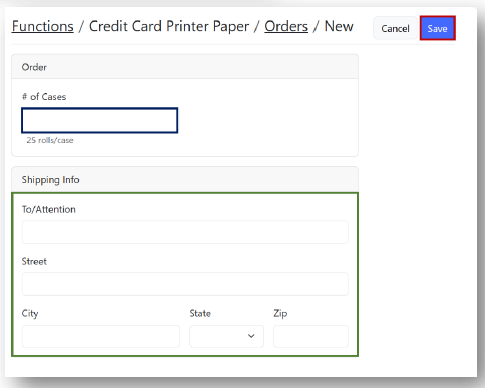
- Enter the # of Cases under the Order header and complete the fields under the Shipping Info header.
- Click Save.
PLEASE NOTE, THIS FUNCTION IS CURRENTLY UNAVAILABLE TO USERS.
YOU WILL NEED TO CONTACT SUPPORT AT support@intouchreceipting.com FOR ALL DEVICE ORDERS.
Ordering Credit Card Devices
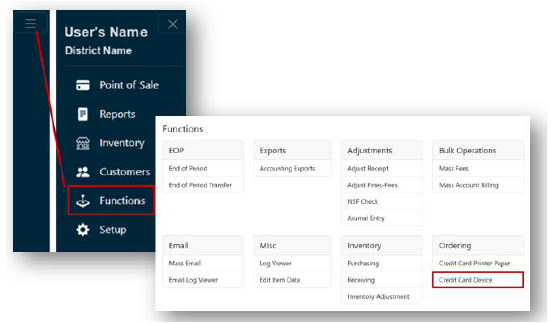
- From the Main Menu, select Functions.
- Click Credit Card Device under the Ordering header.
- Click + New.
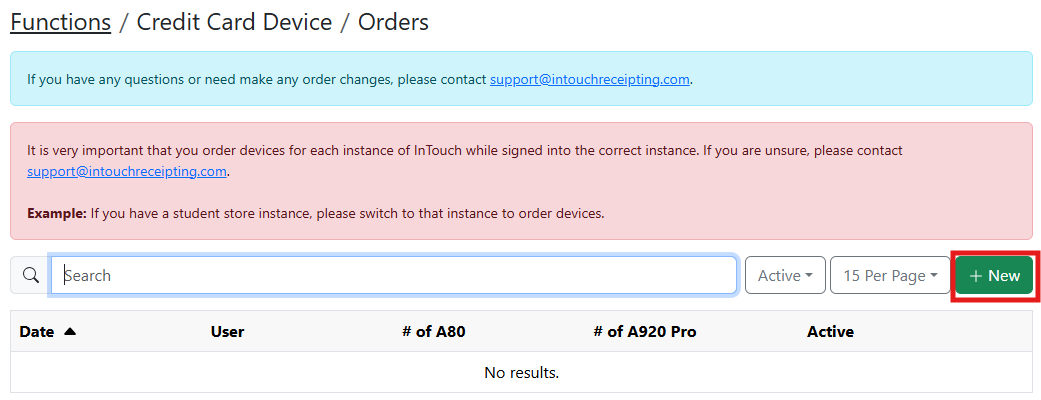
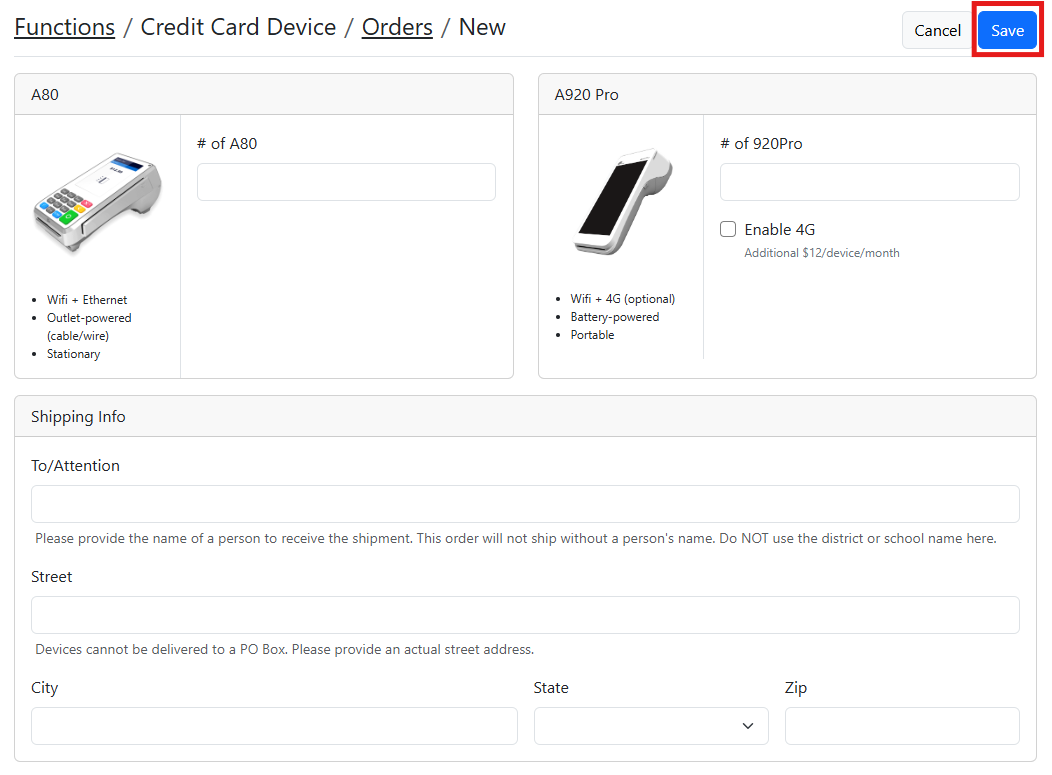
- Enter the # of A80 devices and/or the # of A920 Pro devices you would like to order and complete the fields under the Shipping Info header.
- Click Save.