
Introduction
This article explains the process of creating an account code in the InTouch system. The purpose of account codes is to categorize items to ensure funds are being processed into the correct location.
Steps
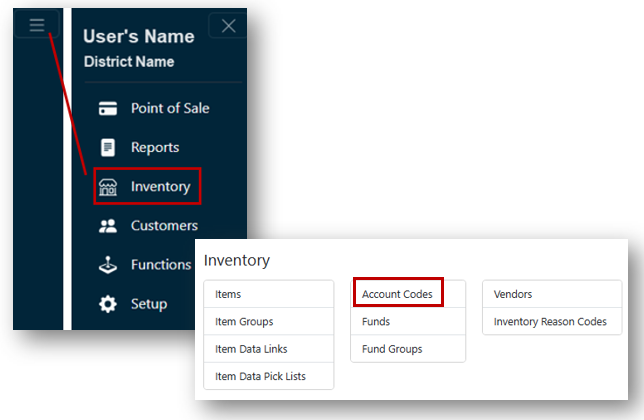
- From the Main Menu, select Inventory.
- Click Account Codes.
- If you have access to multiple sites, select the Site you are creating an Account Code for from the Sites dropdown.
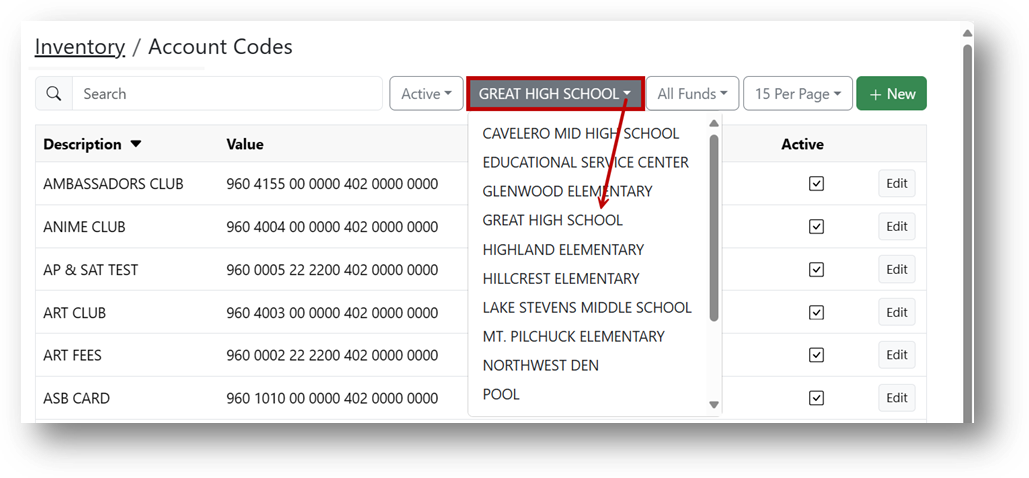
- Click the + New button.

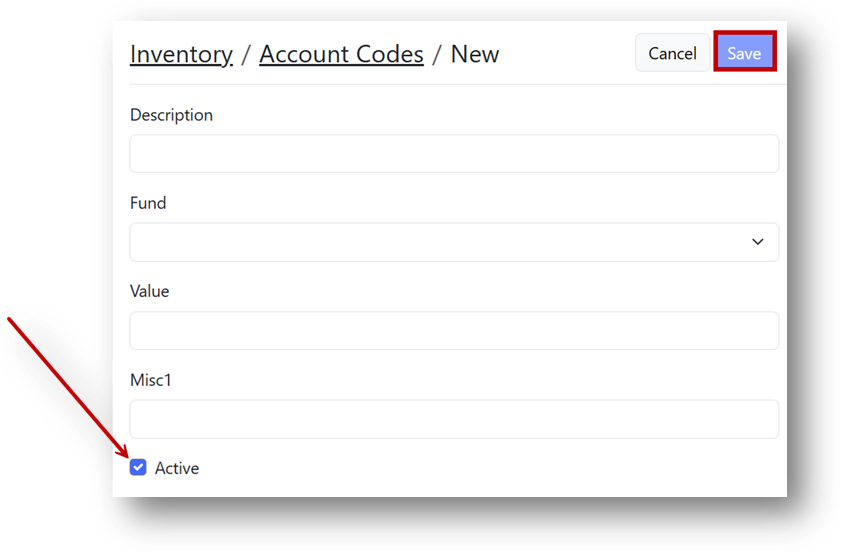
- Fill out all fields completely:
- Enter a Description.
- Select the Fund that this new code will be routed to.
- Enter the Account Code in the Value field.
Note
The Active box will be checked by default.
6. To finish, Click Save.