Introduction
The Paid Out feature, previously available in legacy InTouch, is now accessible in the current InTouch POS system.
Paid Out refers to money withdrawn from the cash register or drawer for non-sales purposes, such as paying for supplies, tips, or vendor deliveries. These withdrawals are logged within the POS system to ensure proper cash tracking and reconciliation at the end of each shift or business day.
The Paid Out function helps maintain financial accuracy by documenting money removed from the register, ensuring it does not impact the sales total or cause discrepancies during cash drawer reconciliation.
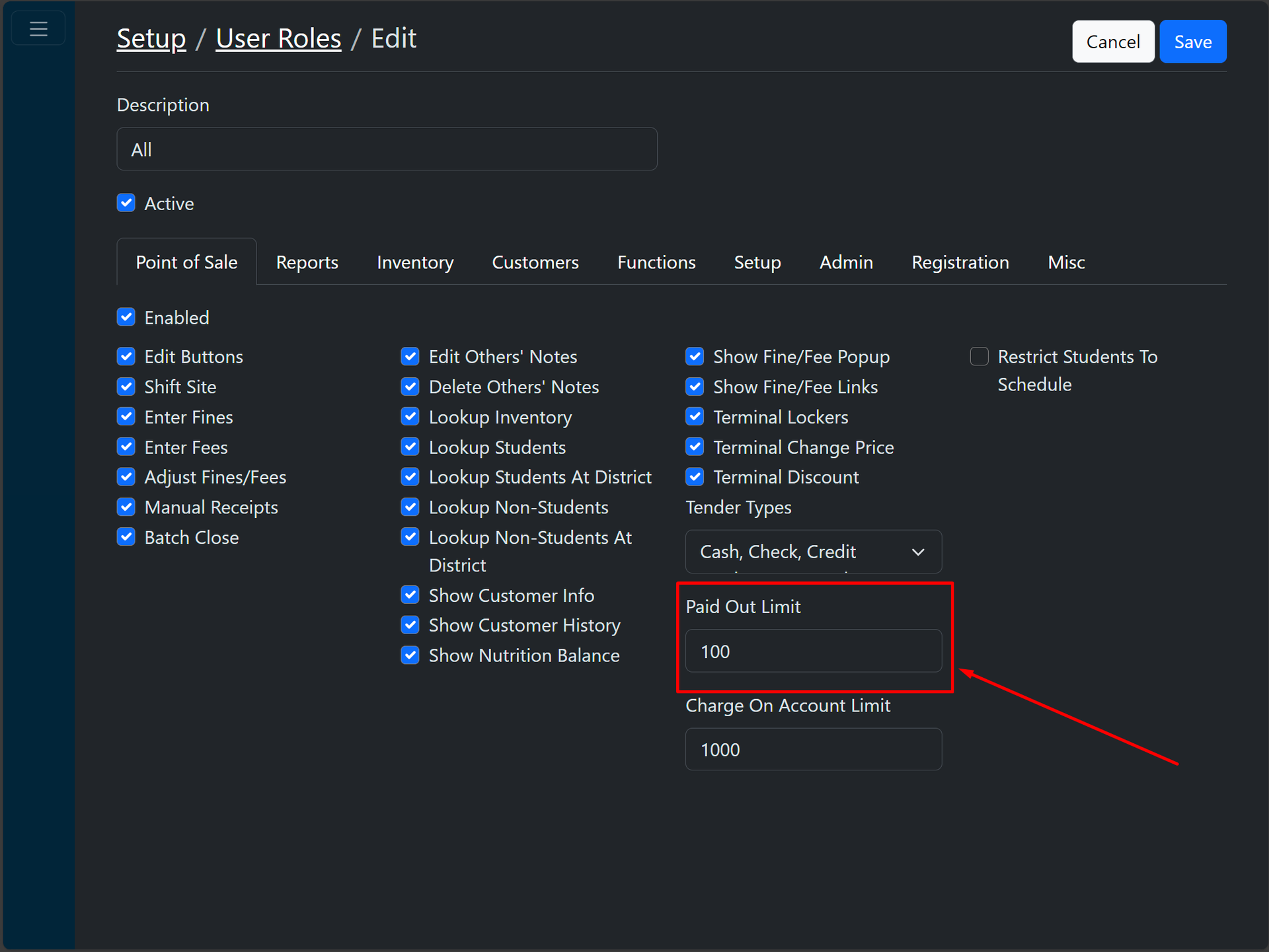
Additionally, Paid Out amounts are subject to a limit based on the user’s role and the "Paid Out Limit" set for that role. This limit applies per receipt and varies depending on the site selected in the POS system.
Processing a Paid Out Transaction
To process a Paid Out transaction:
- Select the customer (if required).
- Enter the appropriate item(s) and amounts for the transaction.
- Proceed to the payment screen as usual.
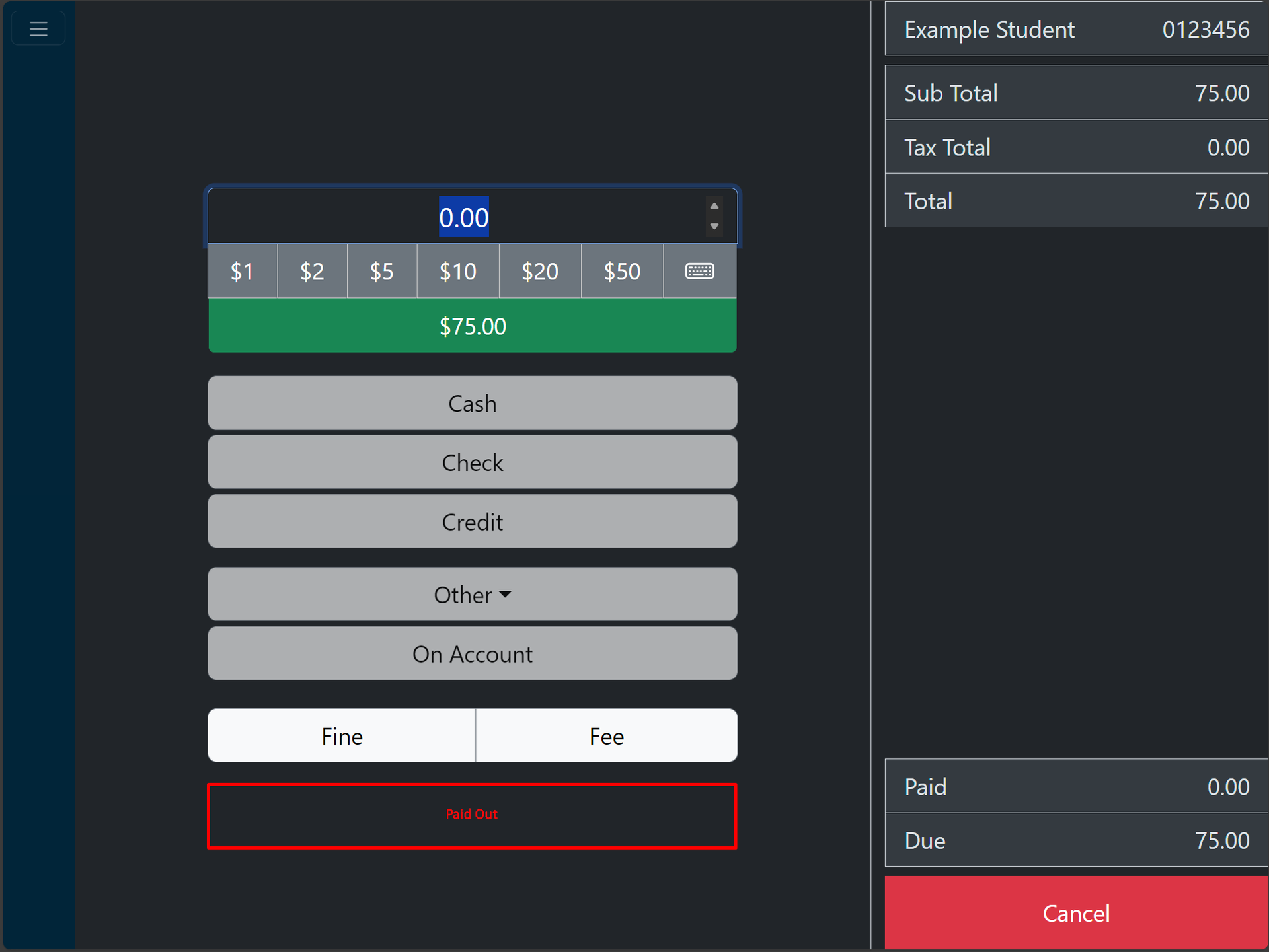
If the transaction total is less than or equal to the "Paid Out Limit," a Paid Out button will appear. This button allows the user to complete the transaction with a paid-out amount. However, the Paid Out button will be disabled if any payment method has already been used in the transaction, as Paid Out can only be applied independently without any other payment methods.
Completing a Paid Out Transaction
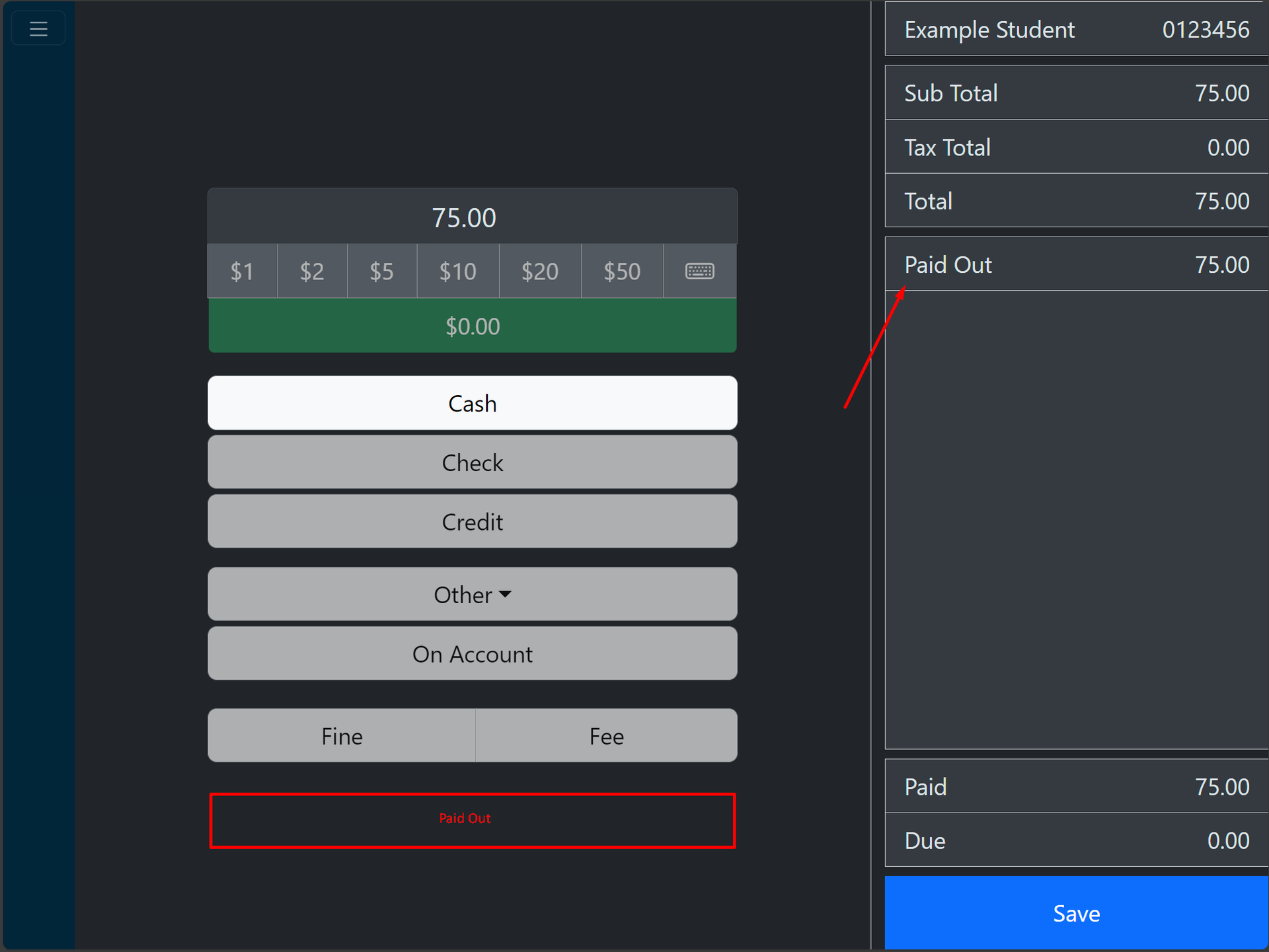
Clicking the Paid Out button will add a payment to the cart for the full amount of the transaction. Once this is done, the Save button will appear.
Upon clicking Save, the paid-out transaction will be recorded, and a receipt will be displayed for confirmation.