
Introduction
This article explains how to adjust fines and fees in the InTouch system. Follow the steps below to make adjustments for individual customers or customer groups.
Steps
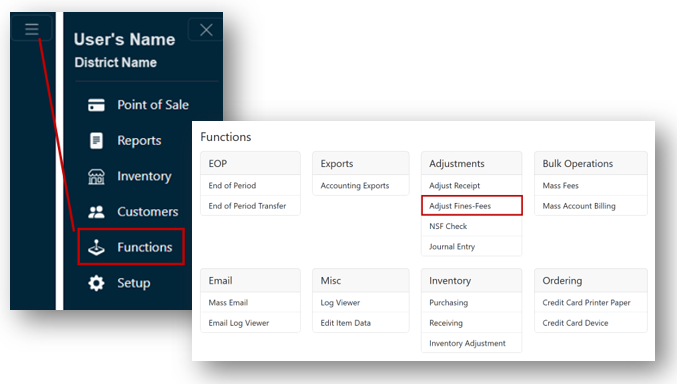
- From the Main Menu, select Functions.
- Select Adjust Fines-Fees under the Adjustments header.
- Select the customer(s) whose fines/fees need to be adjusted.
Option 1: Manually Select Customers
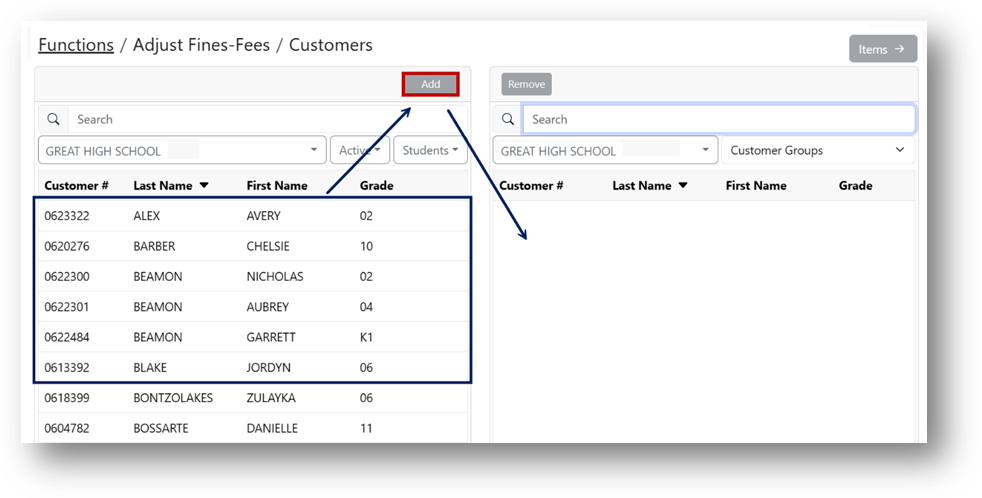
- Select your customer(s) from the left side of the screen. You may filter the list of customers by site, status, and type.
- Click Add.
Note
Once the customer is added, they are moved from the left side to the right side of the screen, creating a list of customers.
Option 2: Select a Customer Group
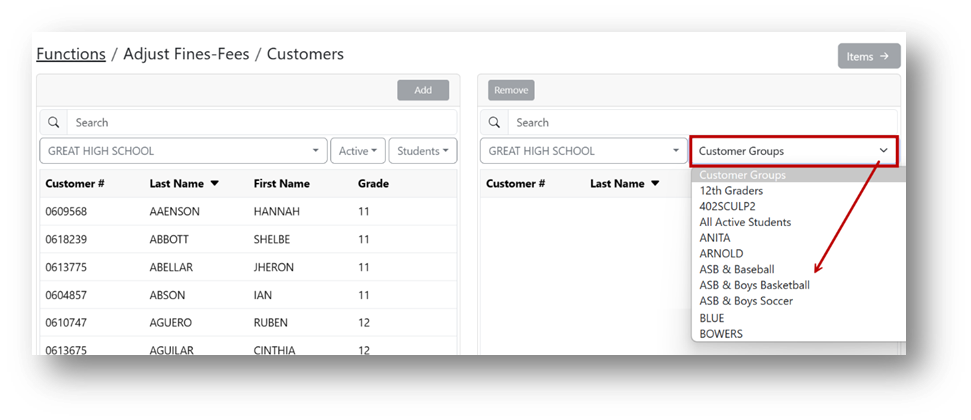
- Select the desired Customer Group from the dropdown on the right side of the screen to populate the list of customers.
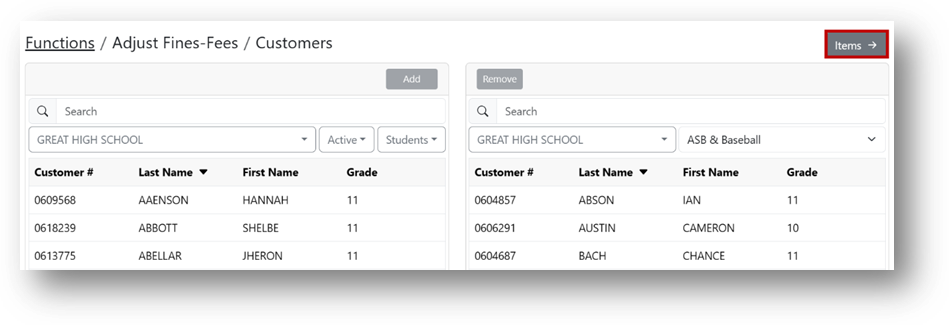
- Click Items.
- Select the desired item(s) and click Add.
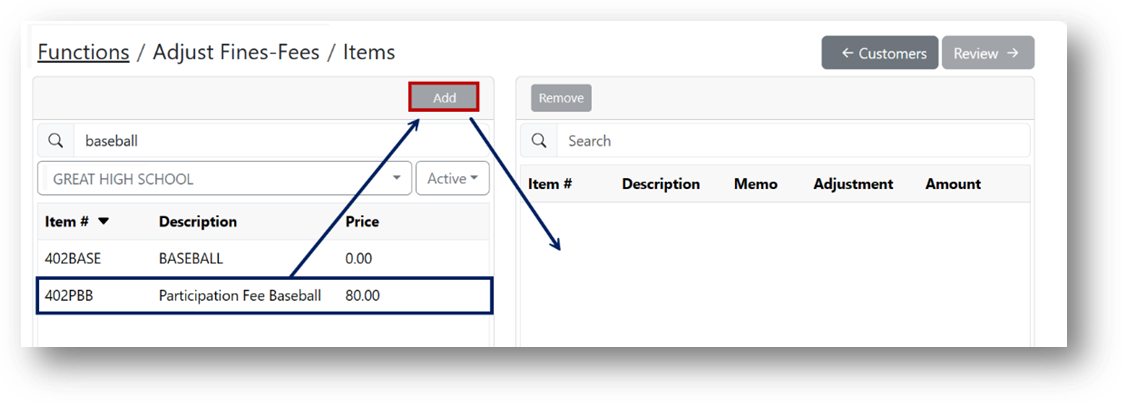
Note
Once an item is selected to adjust, it is moved to the right side of the screen.
Adjusting Fines and Fees
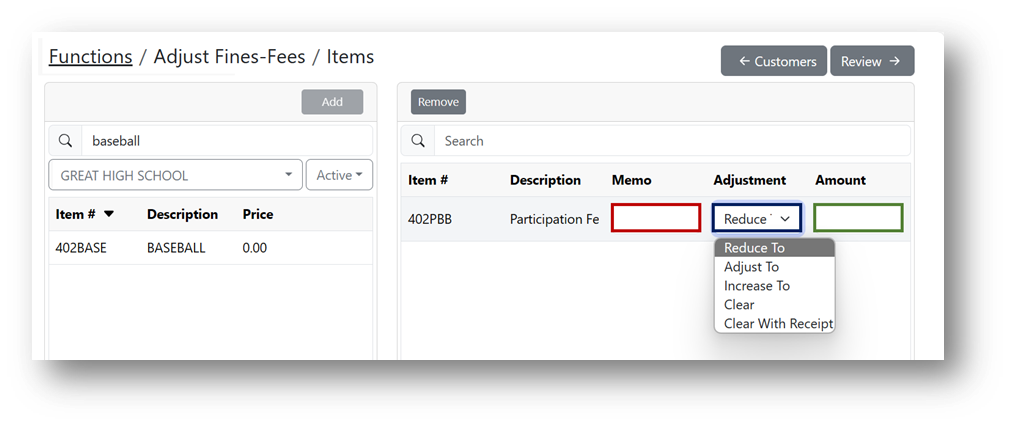
- Enter a Memo (marked in red) explaining why you are adjusting the fine/fee.
- Select the appropriate Adjustment (marked in blue).
- Enter the new Amount of the fine/fee (marked in green).
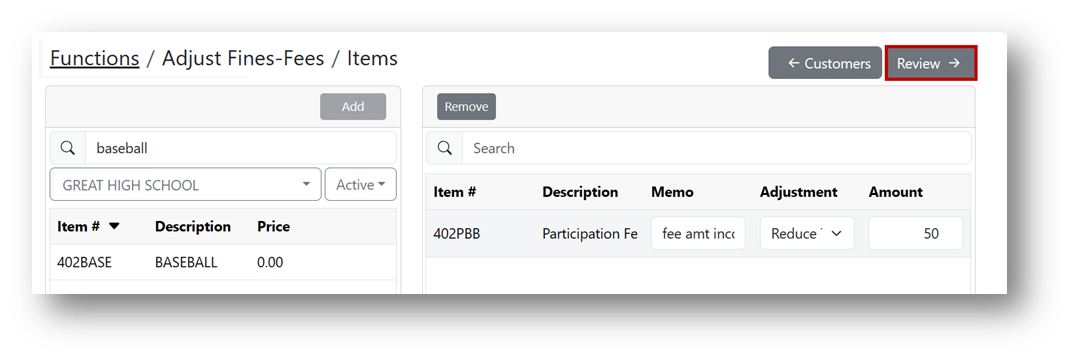
- Click Review.
- Enter the date range for when the fee was initially assessed.
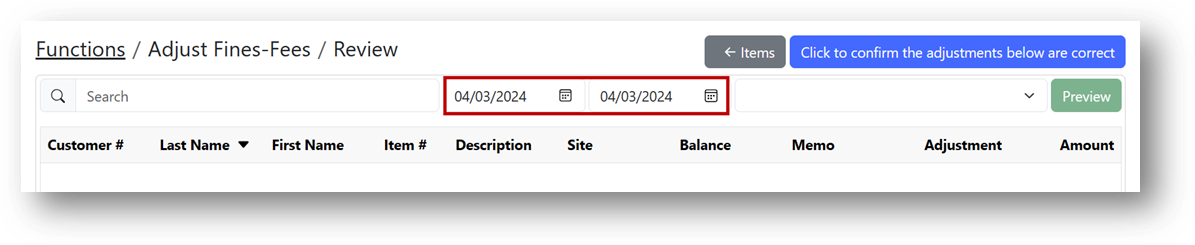
- Select a reason code from the dropdown.
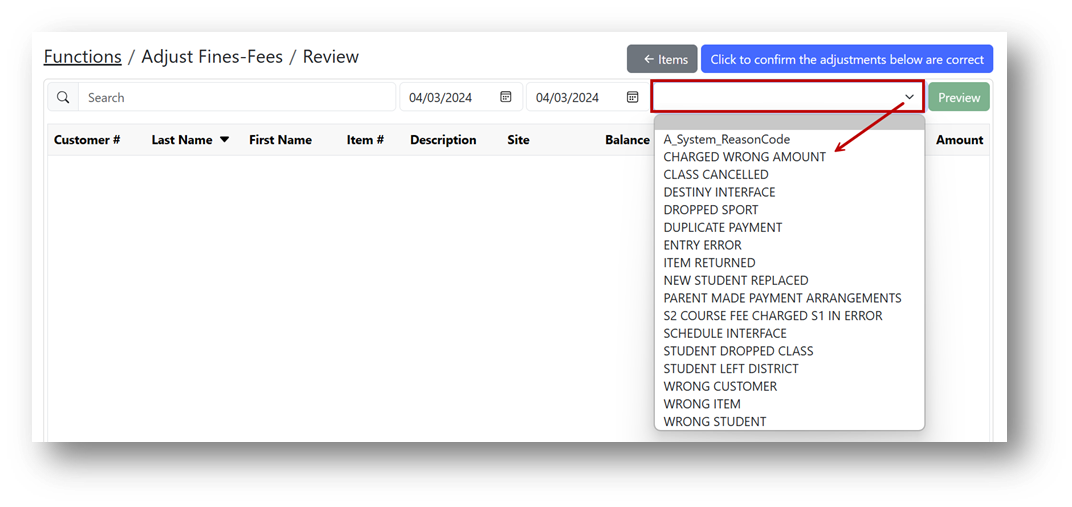
- Click Preview.

- Review your selections and click Confirm to finalize the adjustments.
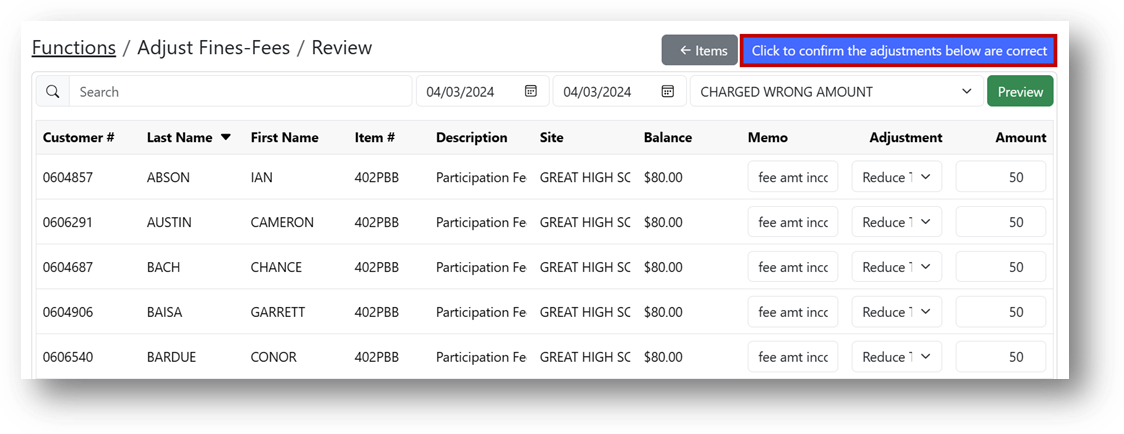
- Click Save.
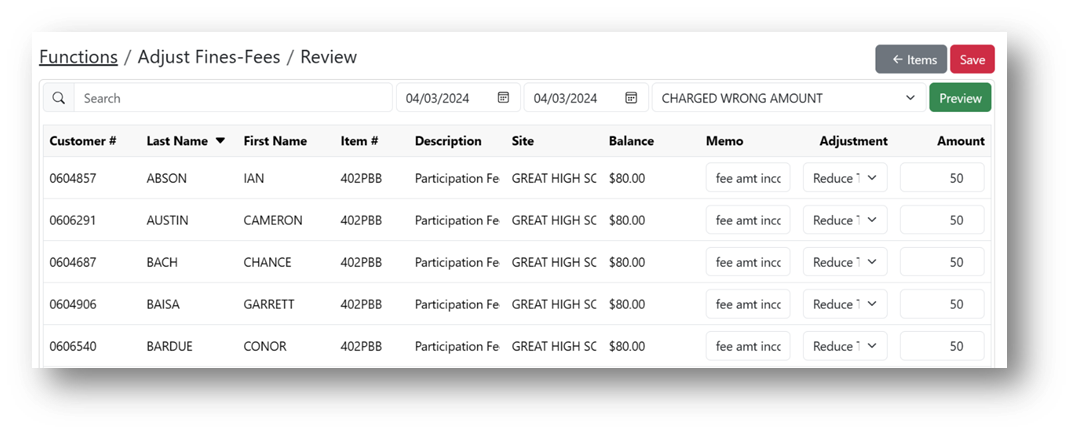
Note
The saved confirmation message indicates that the fees have been successfully adjusted.
