
Overview
Vendors are where you purchase your inventory items.
Steps
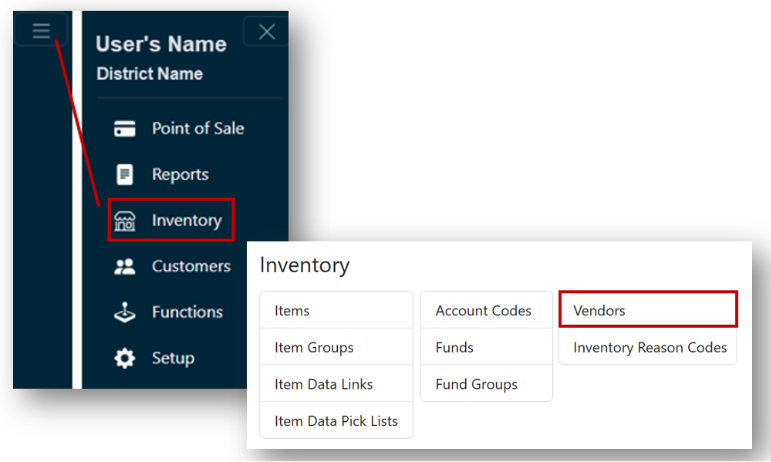
- From the Main Menu, select Inventory > Vendors.
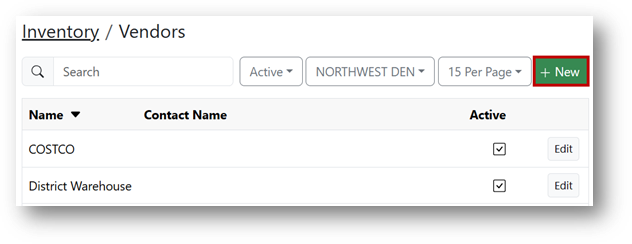
- Click the + New button.
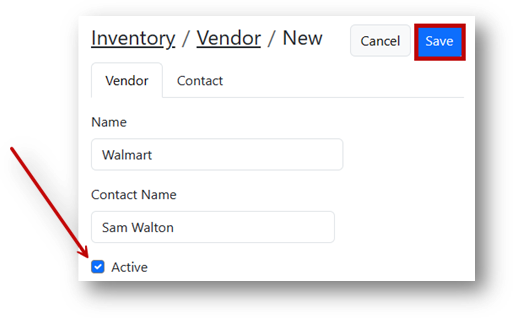
- Enter the vendor's Name and Contact Name under the Vendortab.
- The vendor's information such as address, phone number, and email can be entered under the Contact tab.
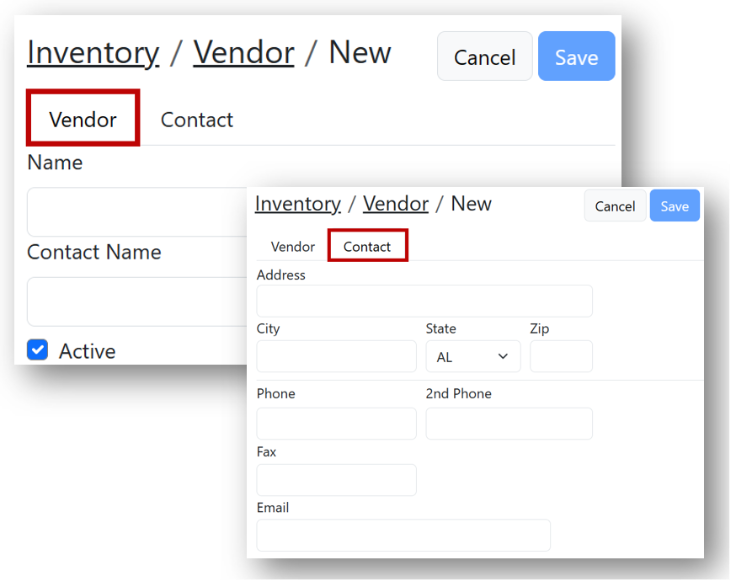
- The vendor's information such as address, phone number, and email can be entered under the Contact tab.
- Click Save.
Outcome
You can create a vendor for purchasing inventory items.
Troubleshooting
- You cannot find Vendors - Confirm you are in Main Menu > Inventory.
- You need to add address, phone number, or email - Enter that information under the Contact tab.
- The vendor record was not created - Make sure you selected Save.