
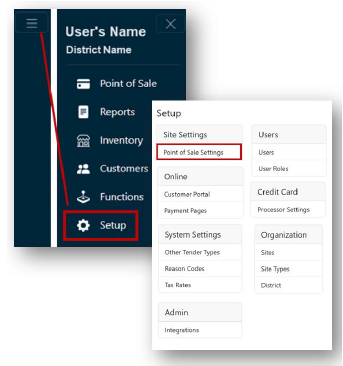
- From the Main Menu, select Setup.
- Click Point of Sale Settings under the Site Settings header.
 Note: If you have access to multiple sites, select the Site for the Point of Sale setting from the dropdown.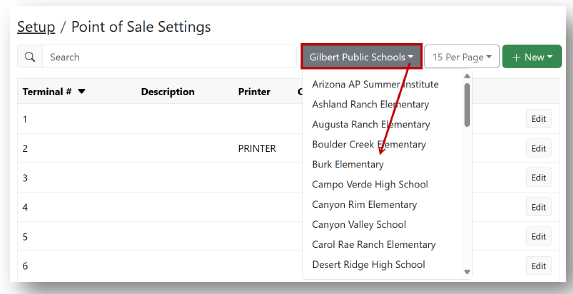
- Click Edit for the terminal Point of Sale settings you would like to edit.
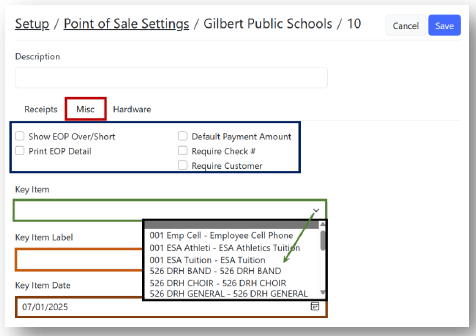
- Click the Misc. tab.
- Turn on/off the following options:
- Show EOP Over/Short
- Print EOP Detail
- Default Payment Amount
- Require Check #
- Require Customer
- Select your Key Item from the dropdown.
- Enter a Key Item Label.
- Select your Key Item Date
- Click Save.
- Turn on/off the following options:
Advanced Point of Sale Settings Print
Modified on: Mon, 11 Aug, 2025 at 3:52 PM