
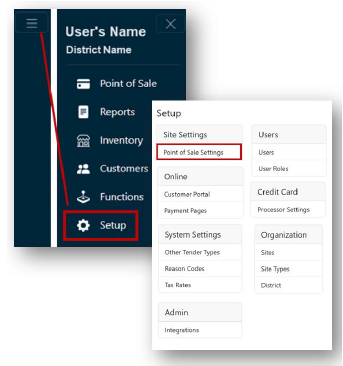
- From the Main Menu, select Setup.
- Click Point of Sale Settings under the Site Settings header.
 Note: If you have access to multiple sites, select the Site for the Point of Sale setting from the dropdown.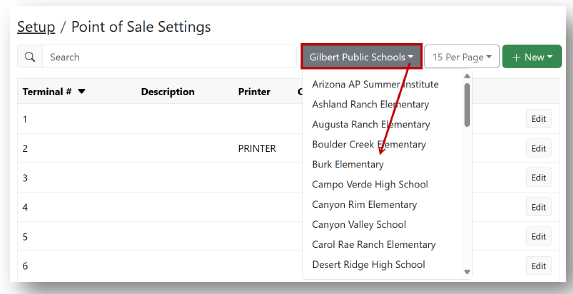
- Click Edit for the terminal receipt you would like to edit.
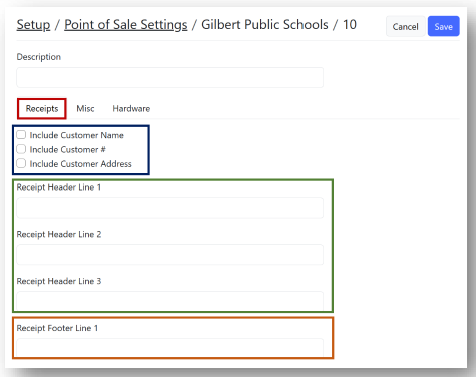
- Under the Receipts tab:
- Check boxes for customer information (if necessary).
- Enter Receipt Header line information.
- Enter Receipt Footer line information.
- Click Save.
Receipt Options Print
Modified on: Mon, 11 Aug, 2025 at 3:42 PM