
Introduction
At the end of a shift or when the cashier is finished, they must reconcile receipts. The End of Period (EOP) Transfer is an option that allows cashiers to transfer funds and receipts from one or multiple terminals to a single terminal.
Requirements
The cashier must void any receipts that contain errors and, if necessary, re-enter them correctly.
Cashier Steps
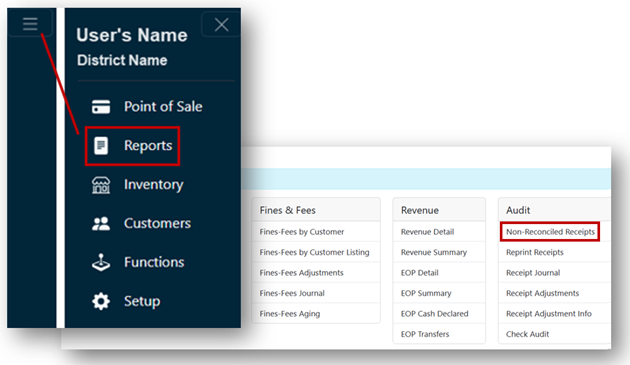
- From the Main Menu, select Reports.
- Click Non-Reconciled Receipts under the Audit header.
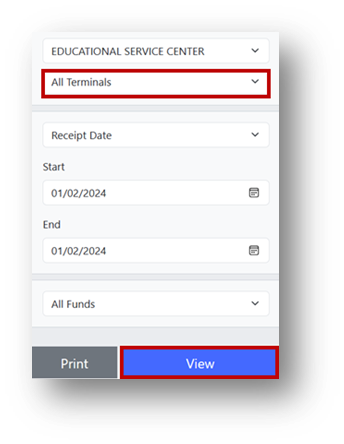
- On the right side of the screen, select the terminal number from the dropdown.
- Click the View button.
Note
The report displays the terminal’s tender totals.
- Remove the starting till amount from the cash drawer.
- Report to the designated manager or instructor with the balance.
Manager/Instructor Steps
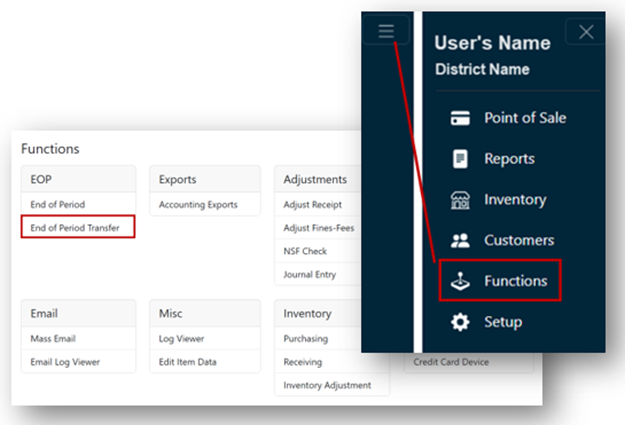
- From the Main Menu, select Functions.
- Click End of Period Transfer under the EOP header.
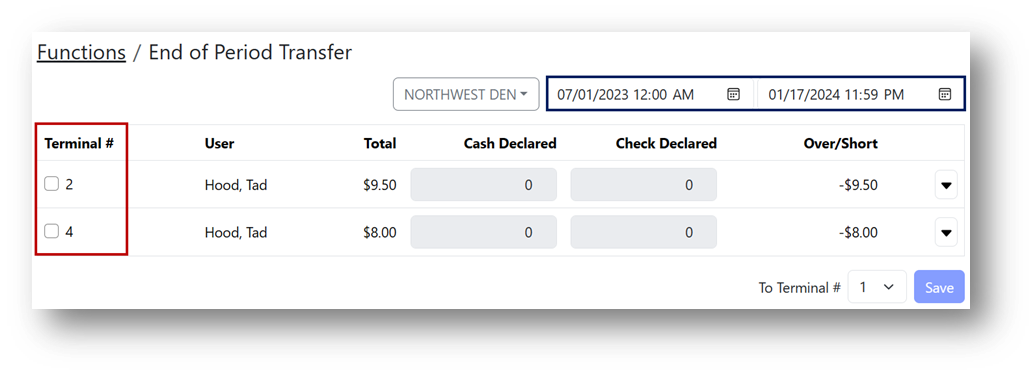
- Enter the date or date range for the transfer.
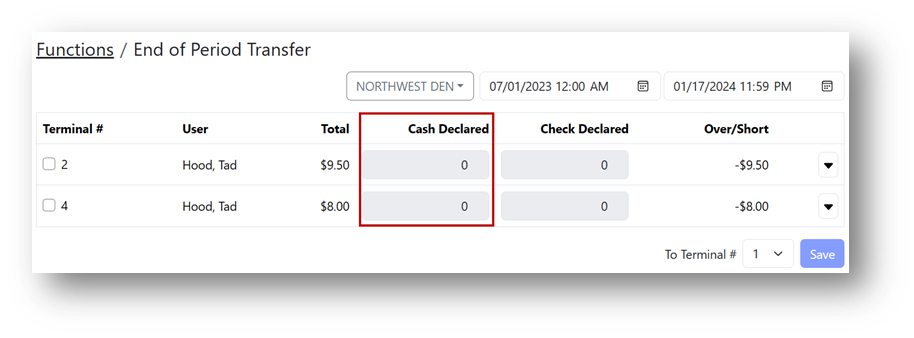
- Check the box to select the terminal number of the cashier.
Note
The cashier’s name is displayed in the User column.
- Manually enter the total cash amount, including coins and checks.
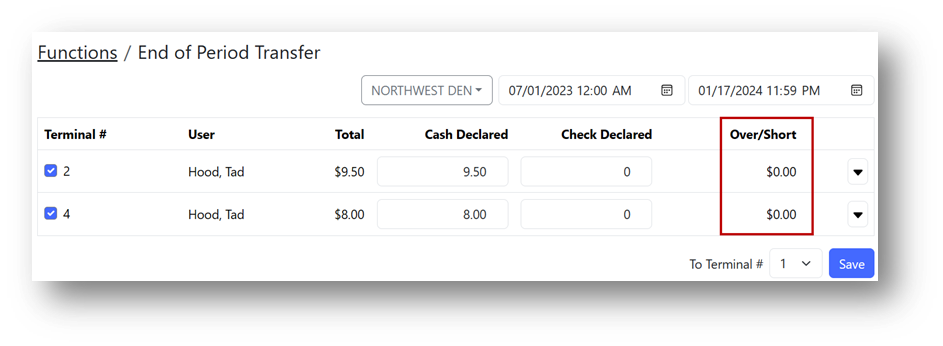
- Review the over/short amount.
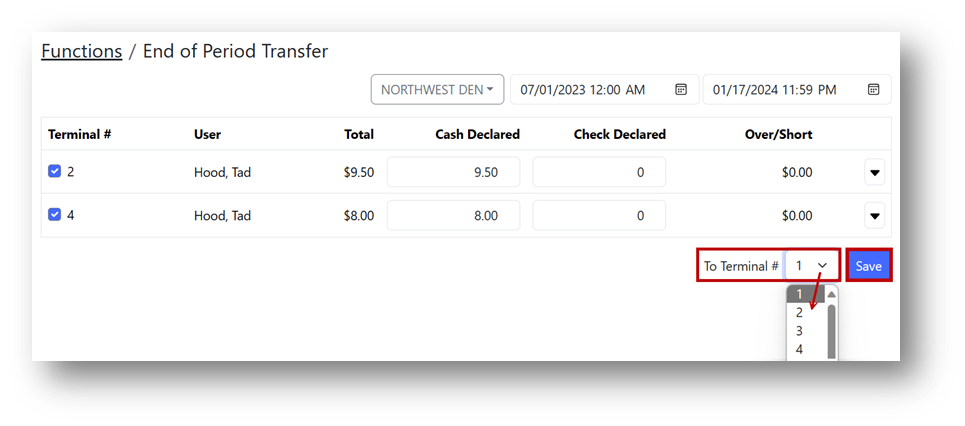
- Choose the terminal to transfer funds to, then click Save.
- Perform End of Period to close the day.