
At the end of the shift, or when the cashier is finished, you must reconcile receipts with the tender.
Requirements
The cashier must void any receipts that contain errors and, if necessary, re-enter them correctly.
Steps to Complete End of Period
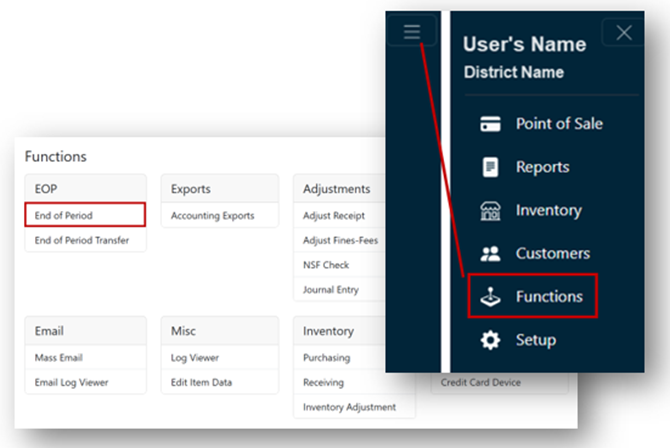
- From the Main Menu, select Functions.
- Click End of Period under the EOP header.
Note
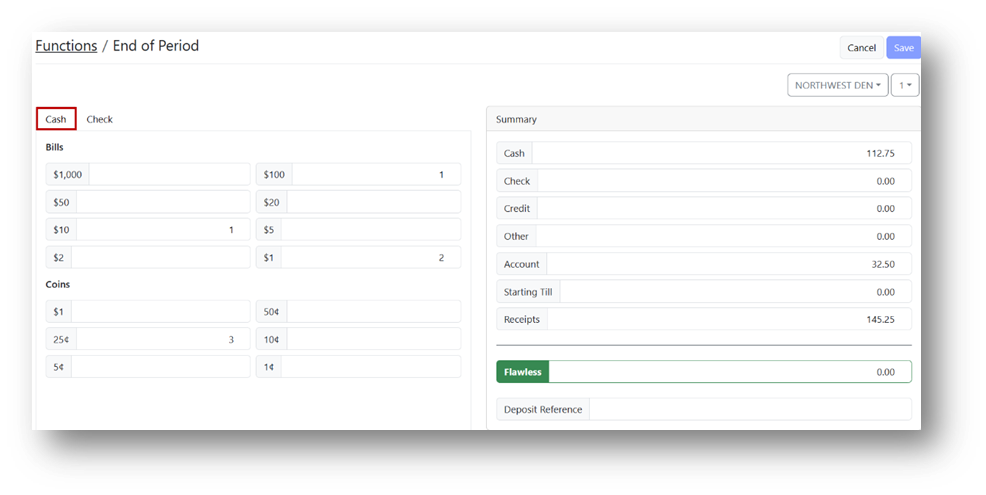
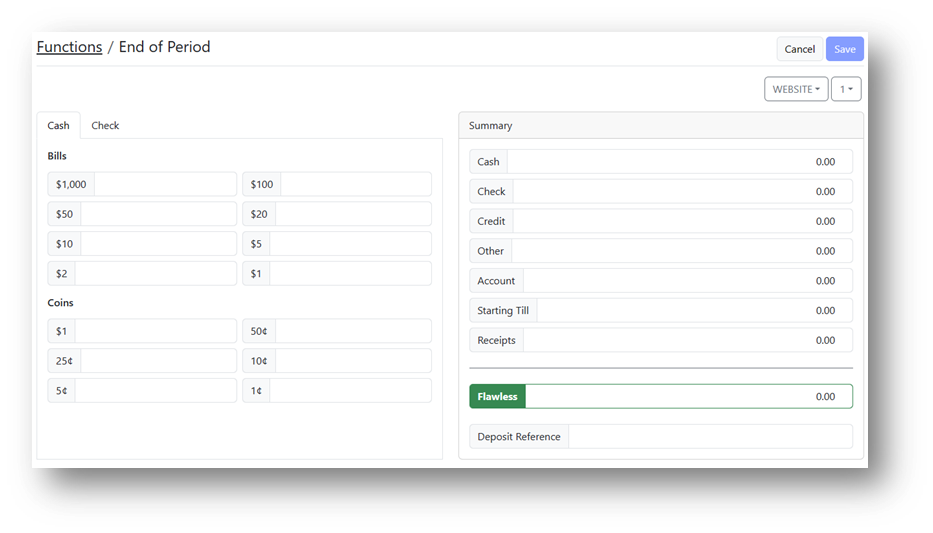
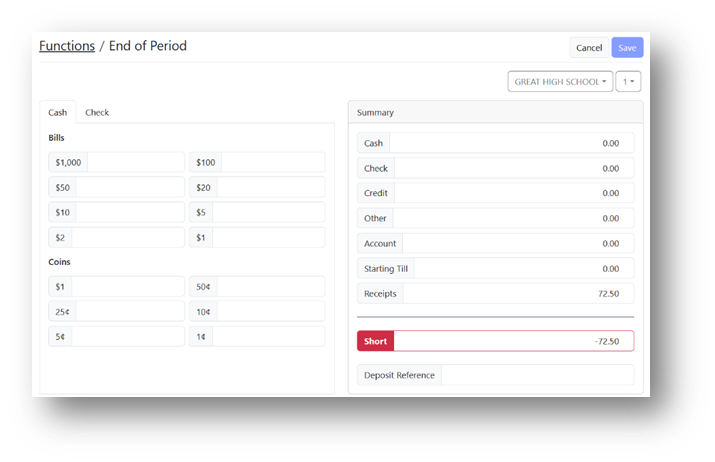
The End of Period main screen displays the cash declaration fields, check listing tab, tender listing, Starting Till, Receipts fields, balance, and Deposit Reference fields.
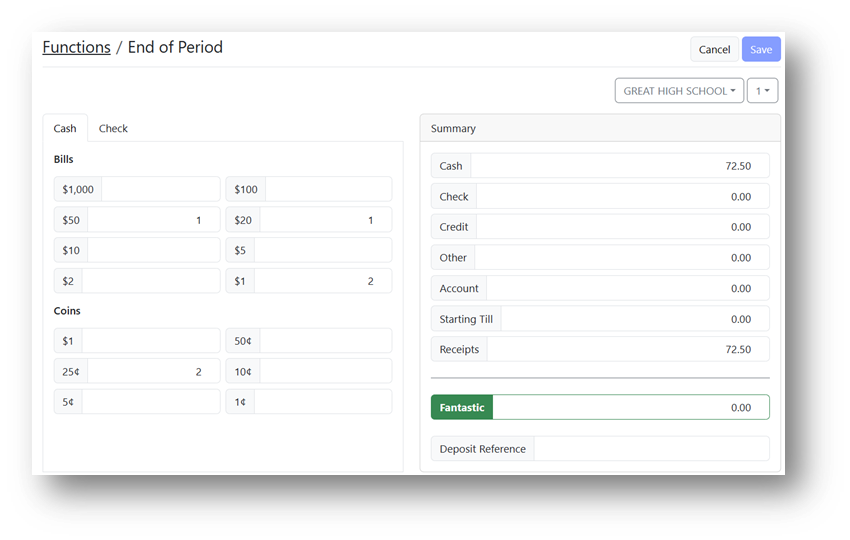
- Enter the number of bills and coins in their respective cash declaration fields.
Note
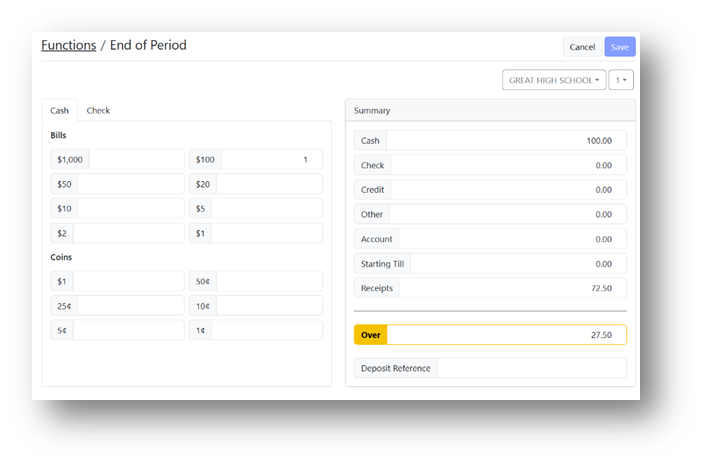
The Cash field under Summary will display the total cash as you enter counts. Credit and Check amounts are prefilled.
- Enter the Starting Till amount in the Starting Till field.
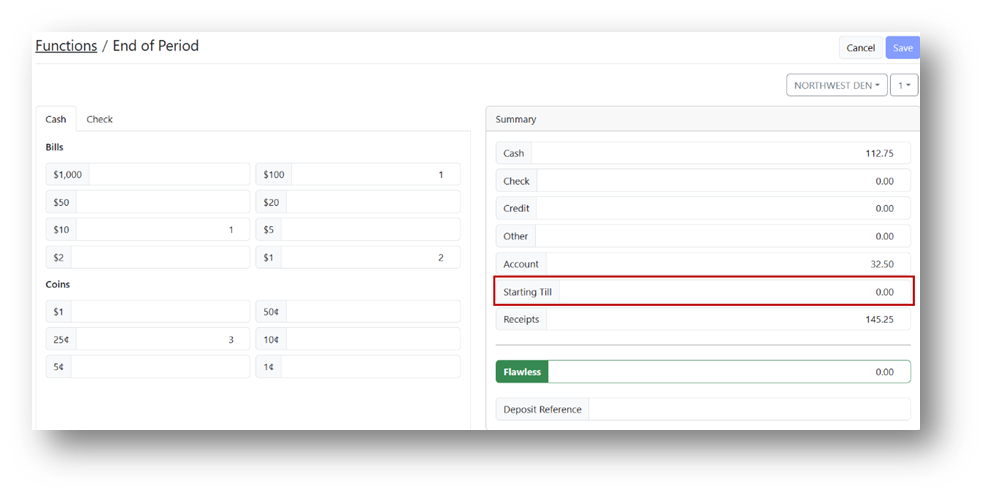
- Verify that you are balanced.
Note
The Total field will display red if short, yellow if over, and green if balanced.
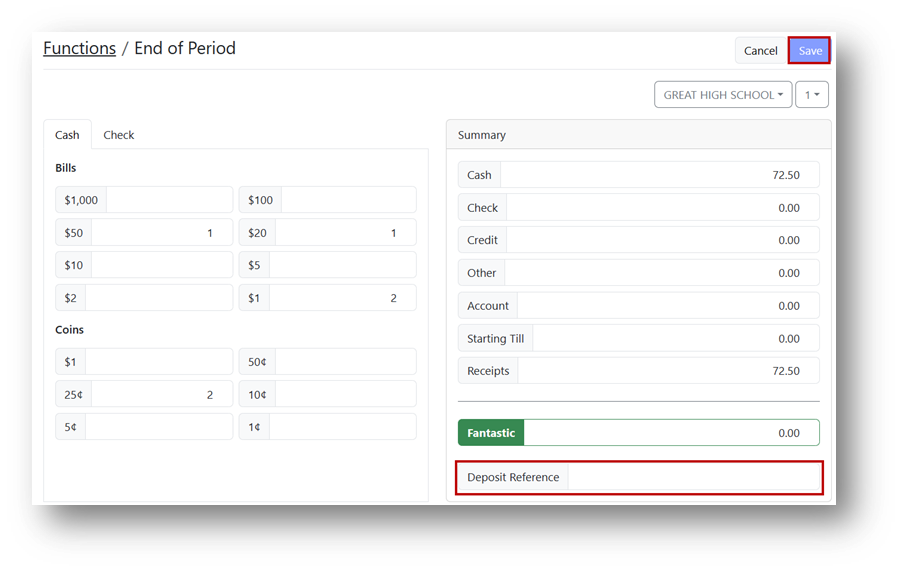
- Enter a Deposit Reference and click Save.
- Print the report.