Introduction
Many stores receive items without creating a purchase order first. A common example is pizza delivery. Items that have not been received into the system should never be sold. Take the time to properly receive all products delivered to the store. The integrity of the data depends on strictly following these processes.
Requirements
Items must be entered into the system and assigned to the correct vendors.
Steps to Receive Items
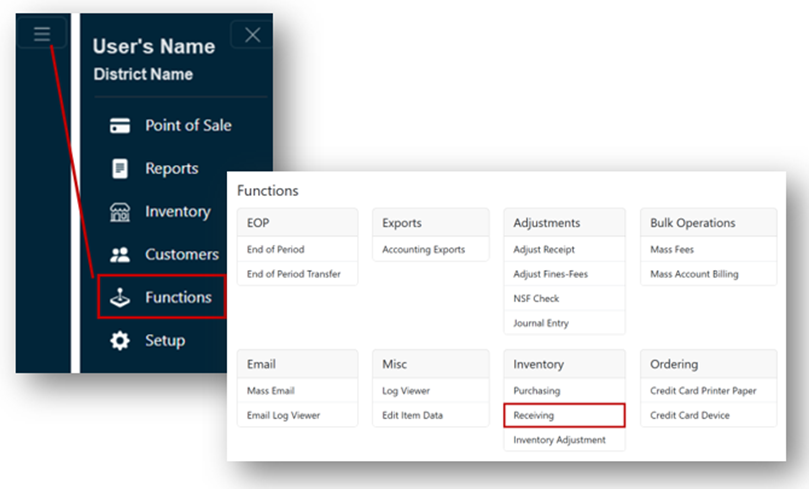
- From the Main Menu, select Functions.
- Click Receiving under the Inventory header.
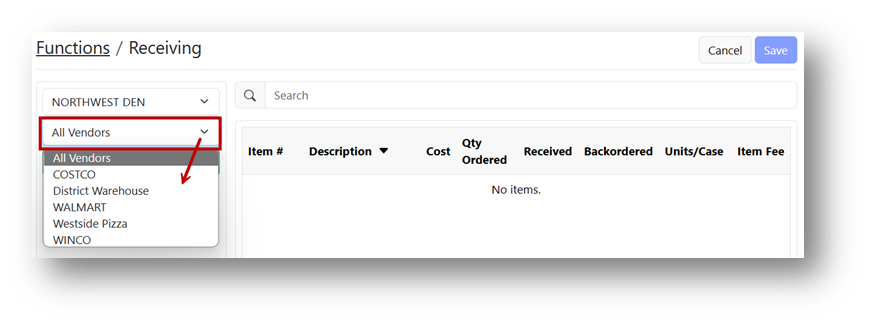
- Select the appropriate vendor from the All Vendors dropdown.
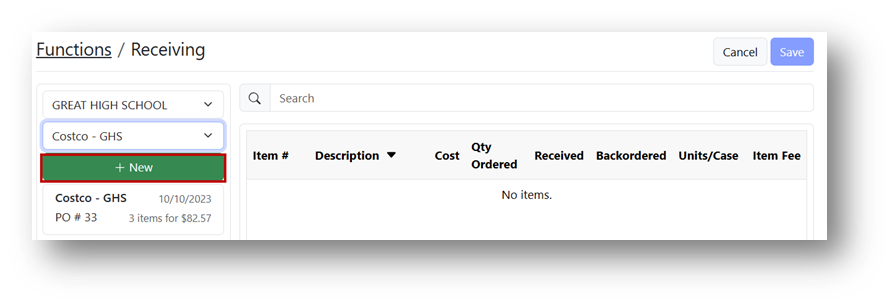
- Click the + New button.
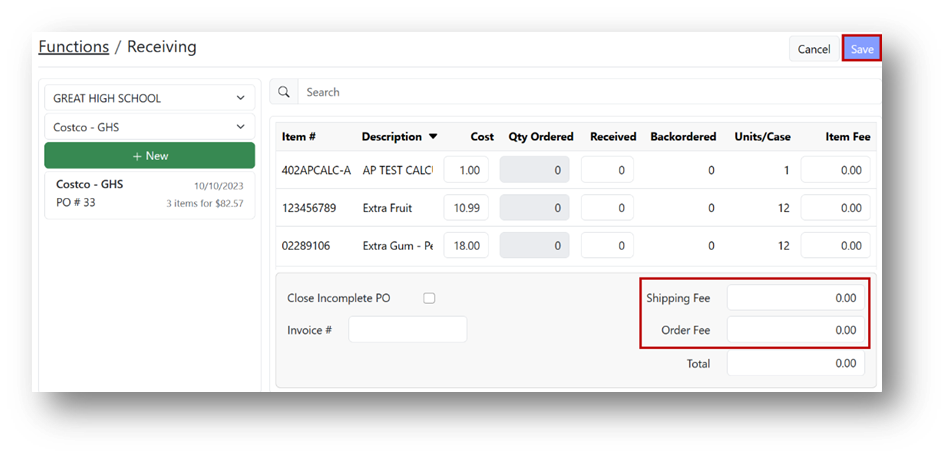
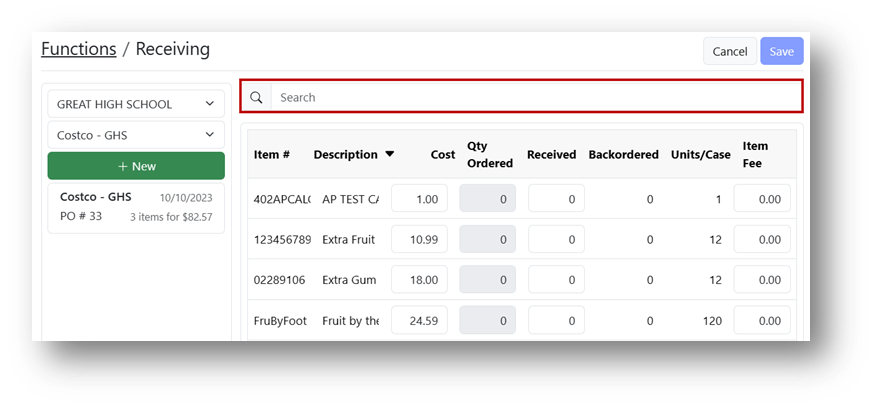
- Find the item to be received by scrolling through the list or using the Search field.
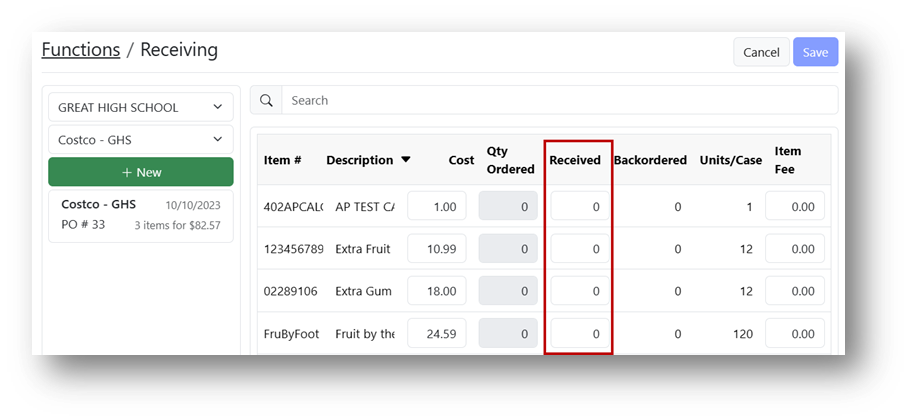
- Enter the number of cases received in the Received field.
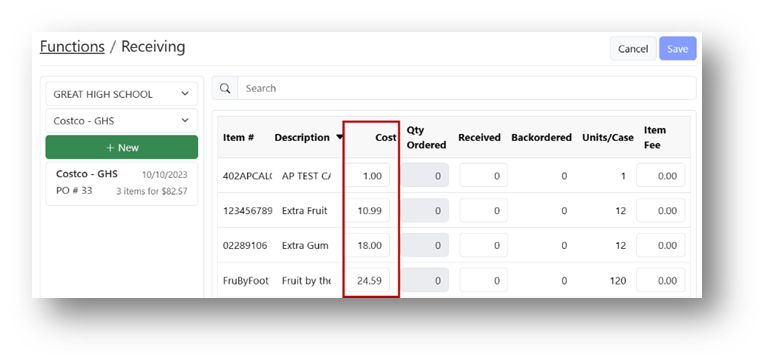
- If needed, update the case cost for this shipment by entering the new amount in the Cost field.
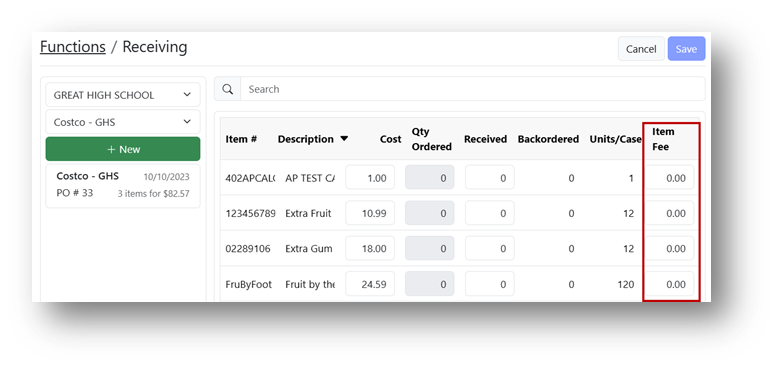
- If the vendor applied an item-specific charge, enter the amount in the Item Fee field. This will adjust the item's cost.
- If the vendor charged a shipping fee, enter the amount in the Shipping Fee field. This cost is distributed among all items, adjusting their average cost.
- If the vendor charged an order fee, enter the amount in the Order Fee field. This cost is divided among all items, adjusting their average cost.
- Click Save.