
Introduction
This article explains expired POS transactions, the fact that KEV will be making a one-time special deposit into the district’s bank account to cover the transactions that have expired, outlines how you can identify the transactions that have been settled through this special deposit, and provides tips to prevent transactions from expiring in the future.
TABLE OF CONTENTS
- Understanding Expired Transactions
- Identifying the One-Time Special Deposit
- Batch Naming Convention
- Restrictions and Adjustments
- Next Steps
Understanding Expired Transactions
Expired transactions occur when a credit card payment is completed at the Point of Sale (POS) but the batch is not closed within 30 days on the device on which the payment took place. When this happens, the credit card authorization expires, meaning the customer’s credit card is never charged, and the payment is not processed into the district’s bank account.
To prevent transactions from expiring, ensure the following:
- Keep POS devices powered on and connected to the internet overnight to allow the batch to close automatically.
- Regularly monitor device connection status to avoid missed batch closings.
- Check the Device Management area inside InTouch Pay for devices with unsettled transactions and close the batches remotely as needed. For more information on this feature, please go here.
To resolve the existing expired transactions, KEV will directly fund the amount of these expired transactions into the district’s bank account.
Identifying the One-Time Special Deposit
Inside the Merchant Dashboard, you will see an “Adjustment” event in the amount corresponding to your expired transactions. It is important to note that there will NOT be a batch inside the Merchant Dashboard corresponding to this funding event.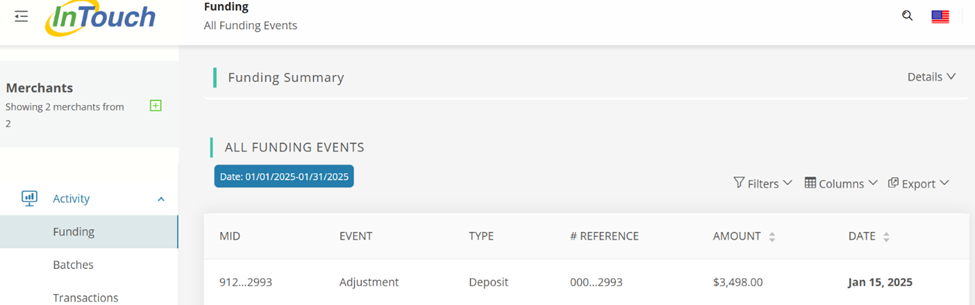
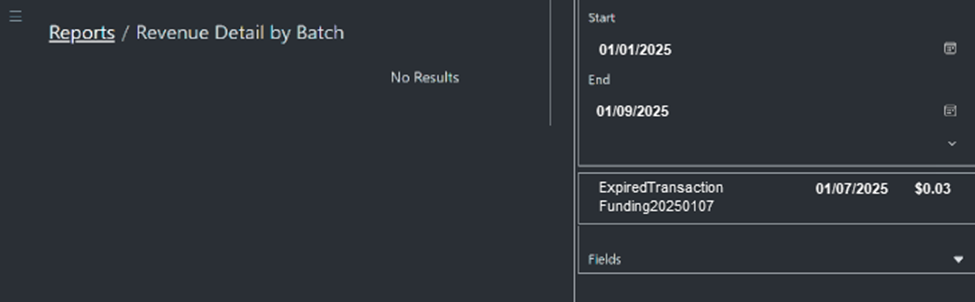
Inside InTouch Pay, you can identify expired transaction funding in several reports. Look for batch names that follow the format ExpiredTransactionFunding-YYYYmmDD.
- Revenue Detail by Batch report
- Revenue Summary by Batch report
- Credit Card Batch to Upload report
- Accounting Exports
- Credit Card Transactions
The following annotated screenshots show how to identify the batch in these reports:
Revenue Detail by Batch report
Annotated Revenue Summary by Batch report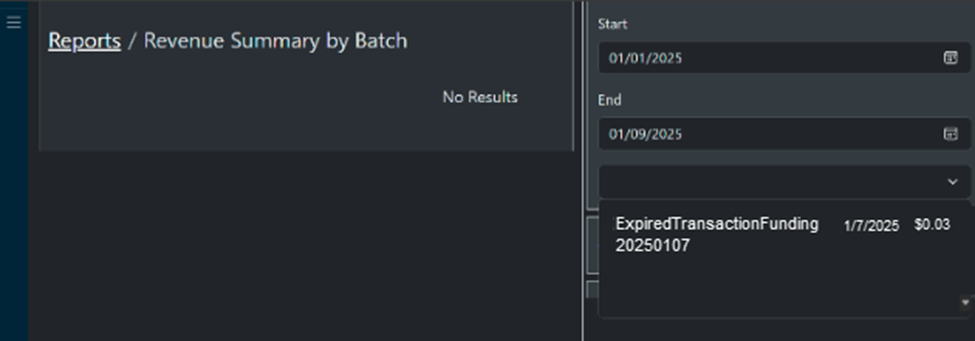
Credit Card Batch to Upload report
Accounting Exports report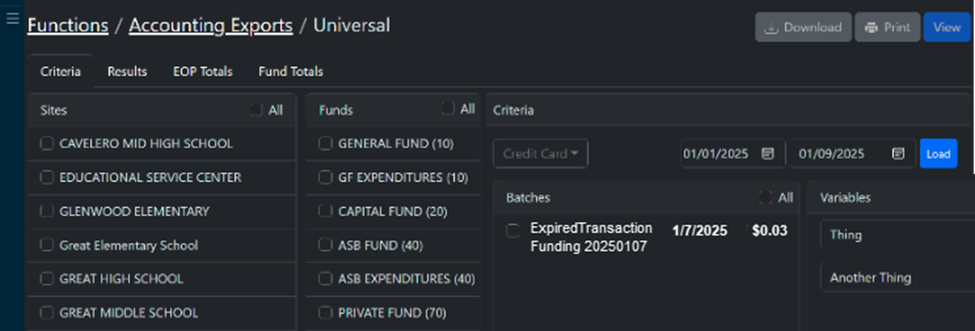
Credit Card Transactions report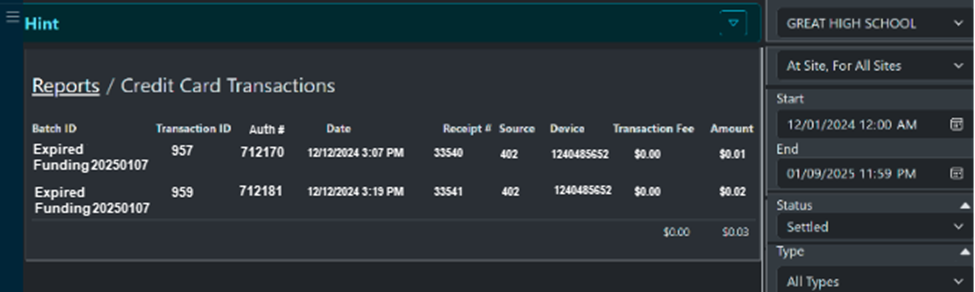
Restrictions and Adjustments
Transactions in the batch matching the ExpiredTransactionFunding naming convention cannot be processed as a credit card refund or as a post-EOP void. Those transactions created receipts but the cardholder was not charged, so any kind of refund will not be needed.
Next Steps
If you experience issues or need further assistance, contact support or visit our Support Portal.