
Introduction
This guide explains how to invite a user to your system by configuring their details and access settings. Follow the steps below to complete the process.
Inviting a User
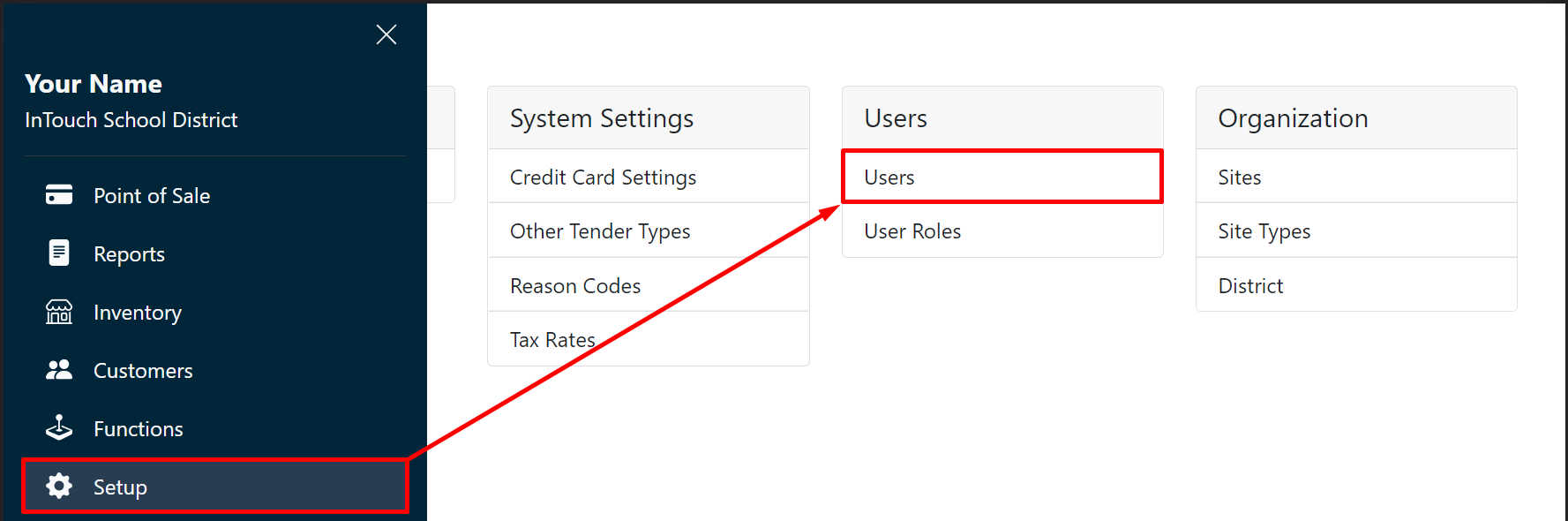
Go to Setup, and then Users.
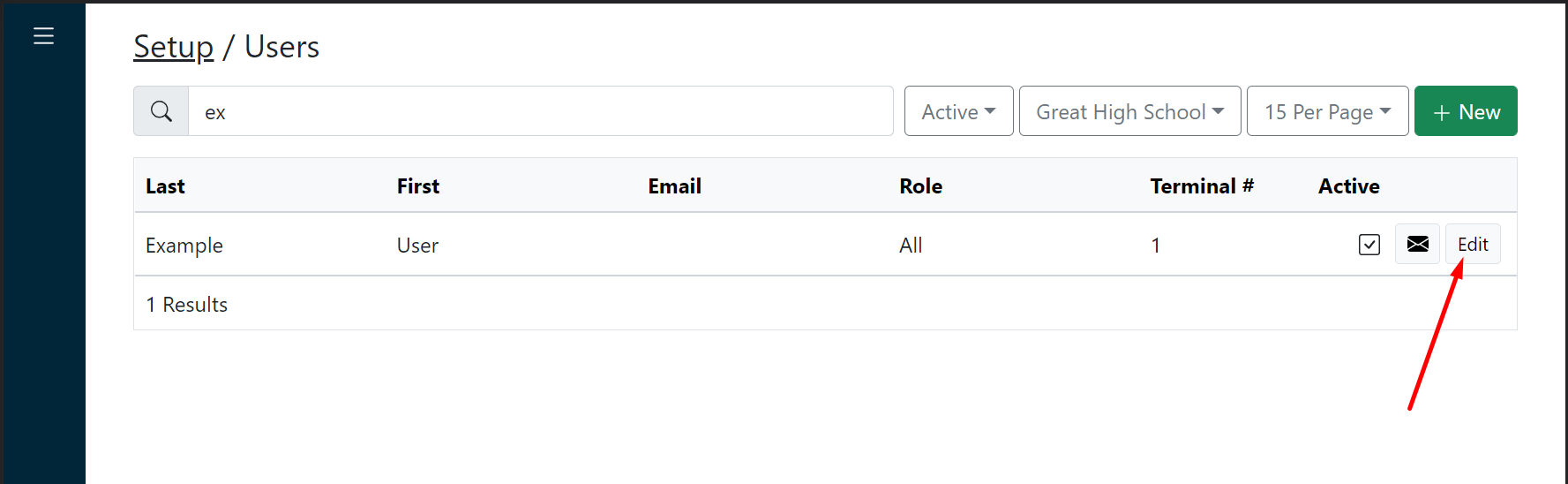
Locate the user you want to invite and click Edit.
Add the user's email address.
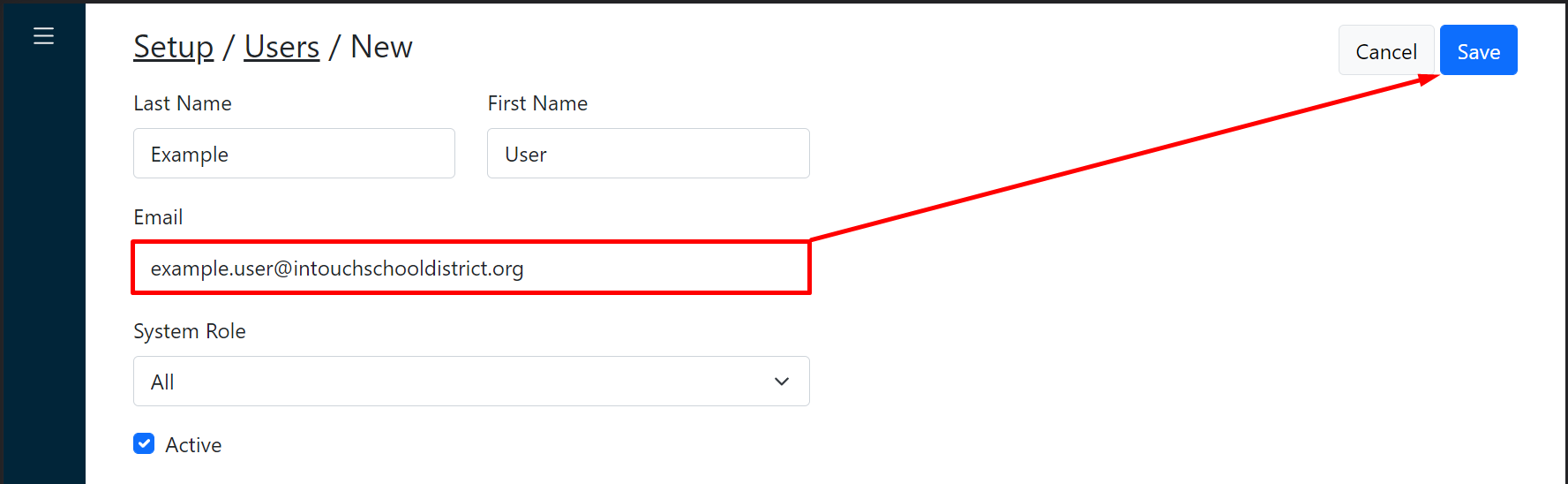
As necessary, edit user access.
Click Save.