
This article explains how to assess a fine or fee in the Point of Sale system. Follow these steps to ensure fines or fees are recorded accurately for the selected customer.
Steps to Assess a Fine/Fee
- Go to Point of Sale.
- Lookup and select the customer.
- Locate and select the item you wish to assess as a fine/fee.
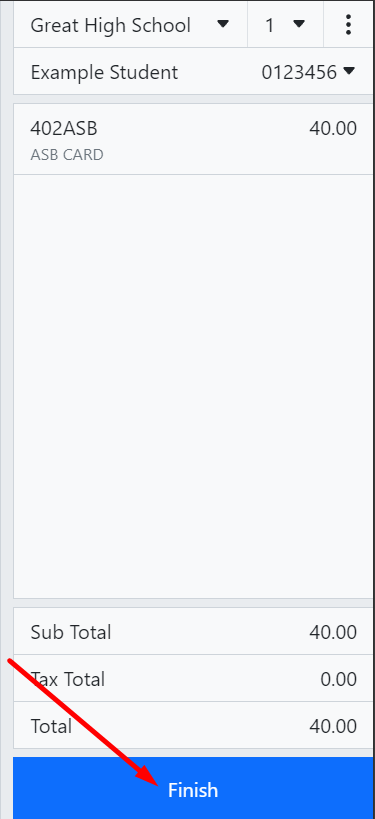
Click Finish.
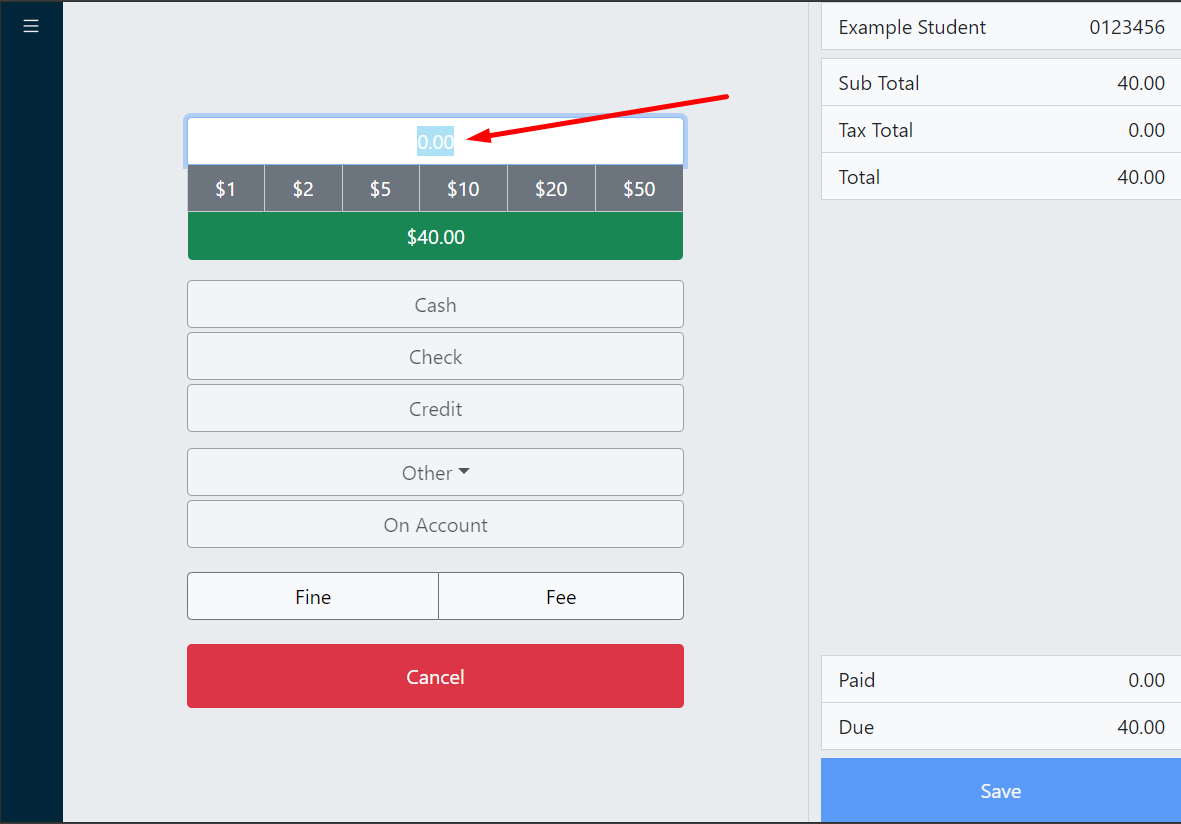
On the payment screen, set the amount to 0.
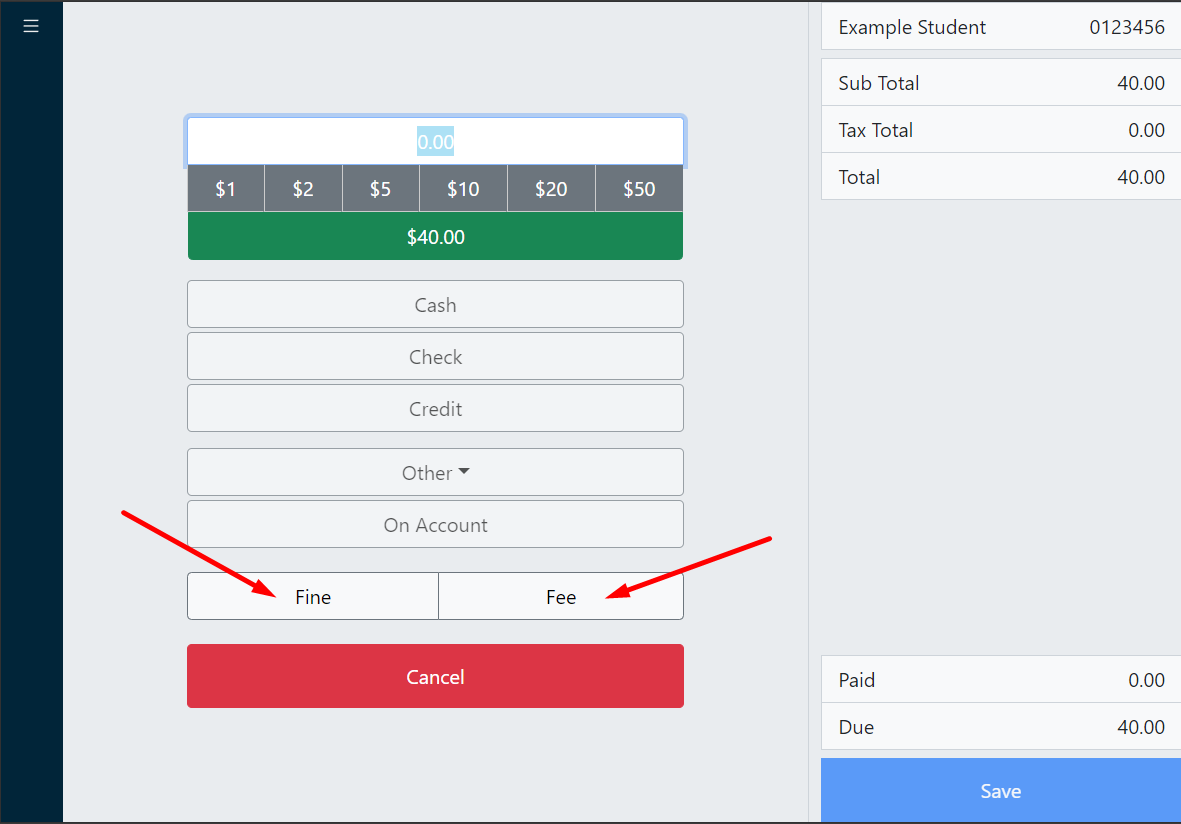
Below the tender option, click the appropriate Fine or Fee button to save the fine/fee.
- After the fine/fee is saved, an assessment report is displayed with the option to print or email.
- Click Done.