
This article explains how to accept multiple payment methods during a transaction. You can split payments across methods such as checks, debit cards, cash, account balances, or other tenders. Follow these steps to process each payment individually and ensure the transaction is completed correctly.
Steps to Accept Multiple Payments
When a customer provides multiple payment methods during a transaction, enter each payment method individually. For each method, enter the amount and select the appropriate tender.
Examples
- A student brings in two checks, one from each parent.
- A parent wants to use two debit cards.
- A student pays part of the transaction with cash and the remaining amount with a debit card.
- A portion of the transaction is paid for with scholarship funds and the remaining amount with a check.
- A student pays part of the transaction with their account balance and the remaining amount with cash or check.
- A teacher is entering many checks from a fundraiser.
Example Scenario
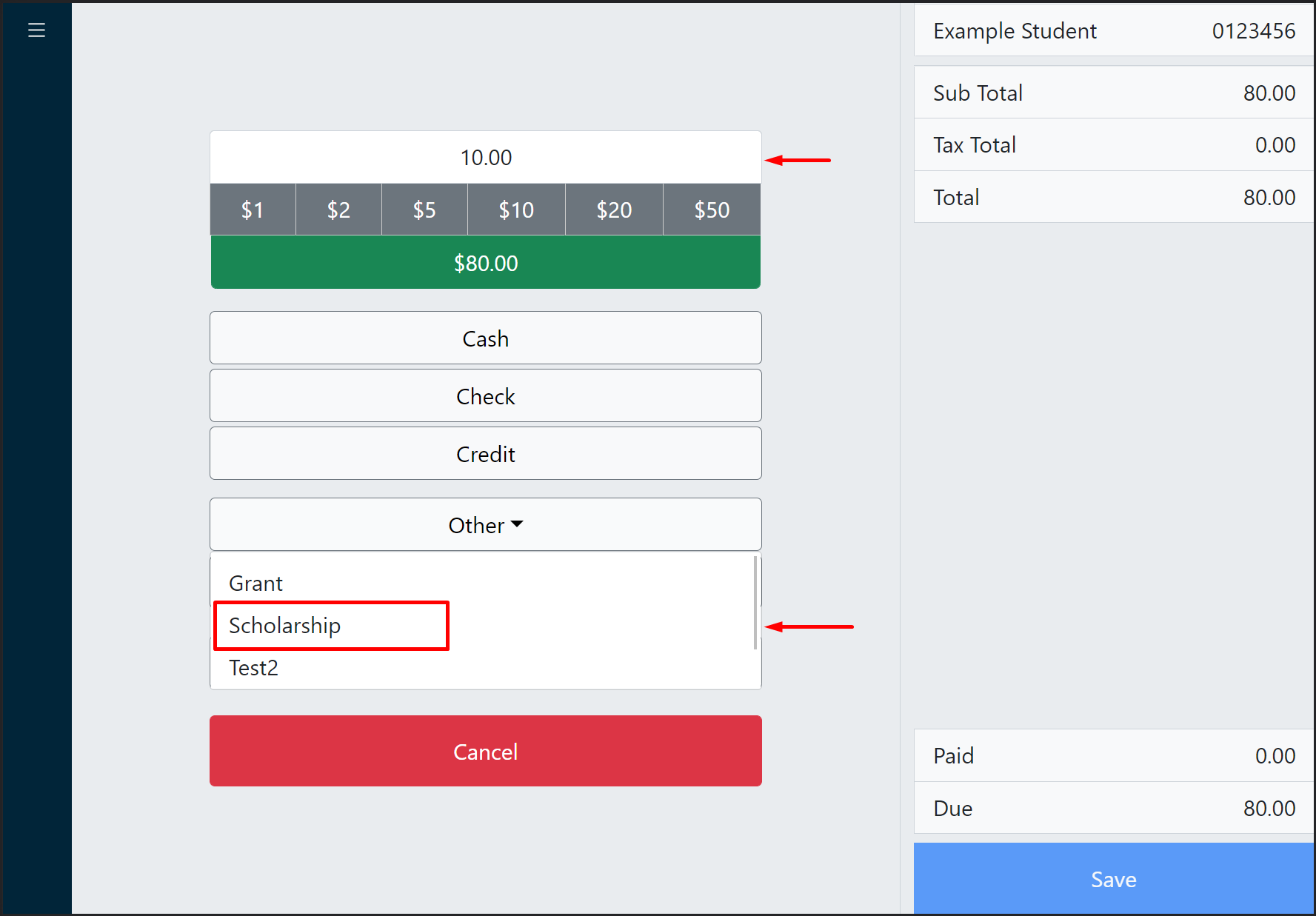
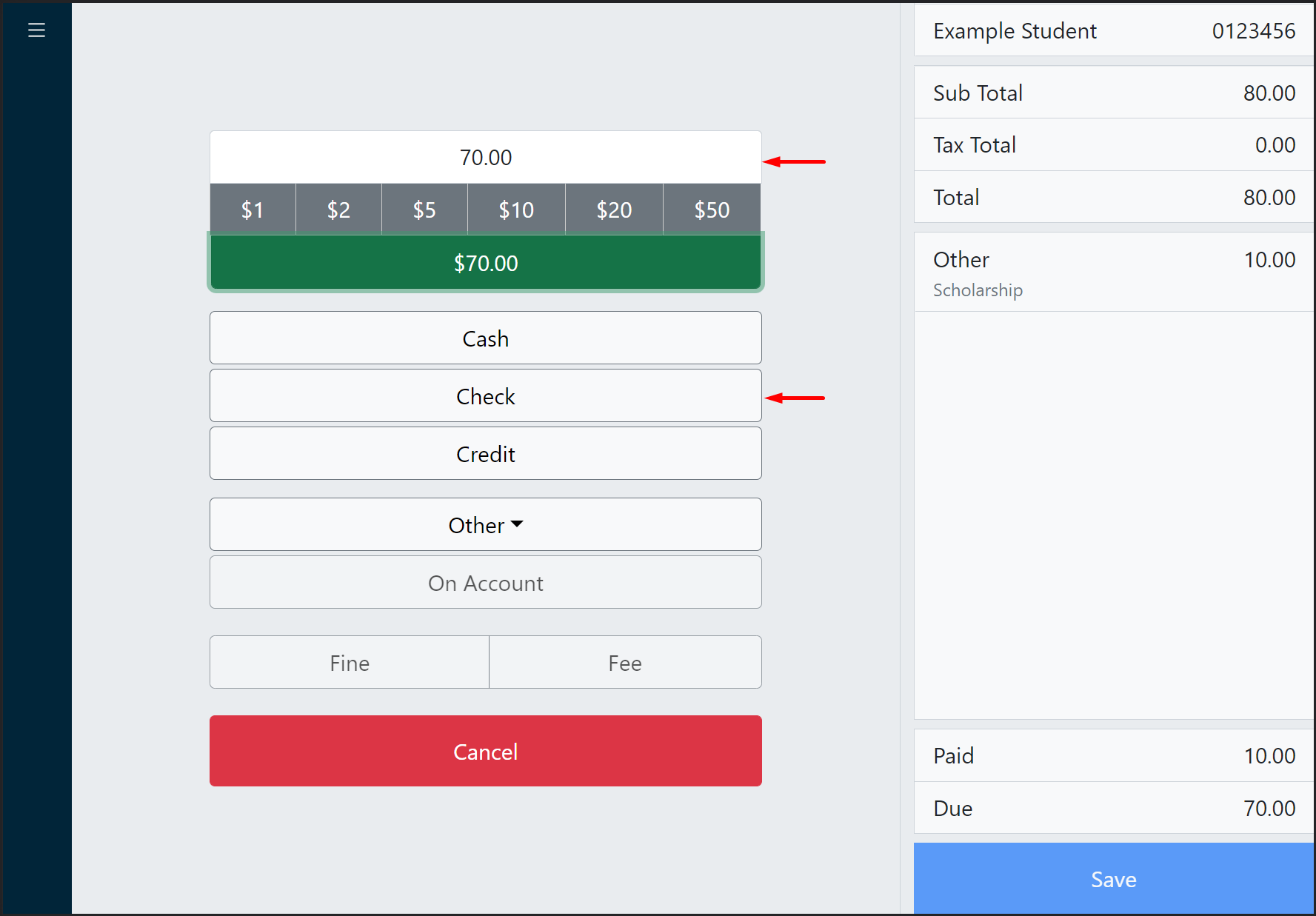
A portion of the transaction is paid for with scholarship funds and the remaining amount with a check. Follow these steps:
Enter the scholarship amount, click Other Tender, and select the appropriate Other Tender Type.
Enter the check amount and click Check.
The balance due is now $0. Complete the transaction by clicking Save.
