
Introduction
This guide explains how to add a new item to the inventory in the Point of Sale system. Items are associated with account numbers and can include details such as price, tax, and quantity.
Definition:
Items are the things sold and are associated with an account number.
Steps to Add an Item
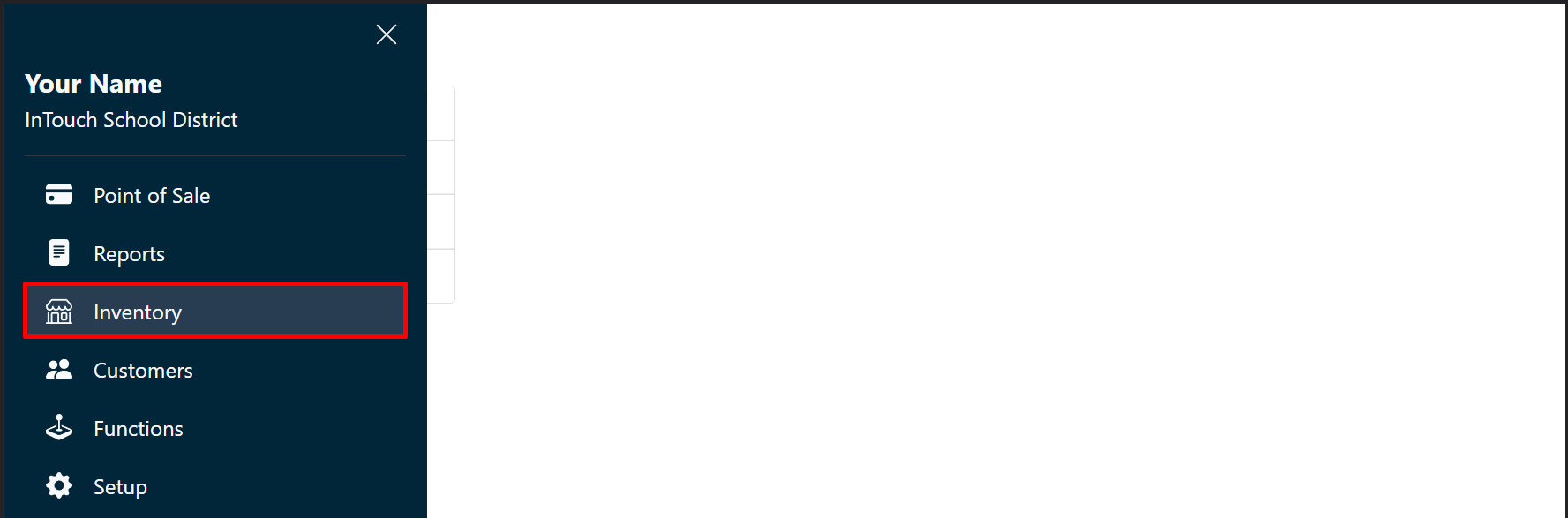
- Go to Inventory, and then Items.
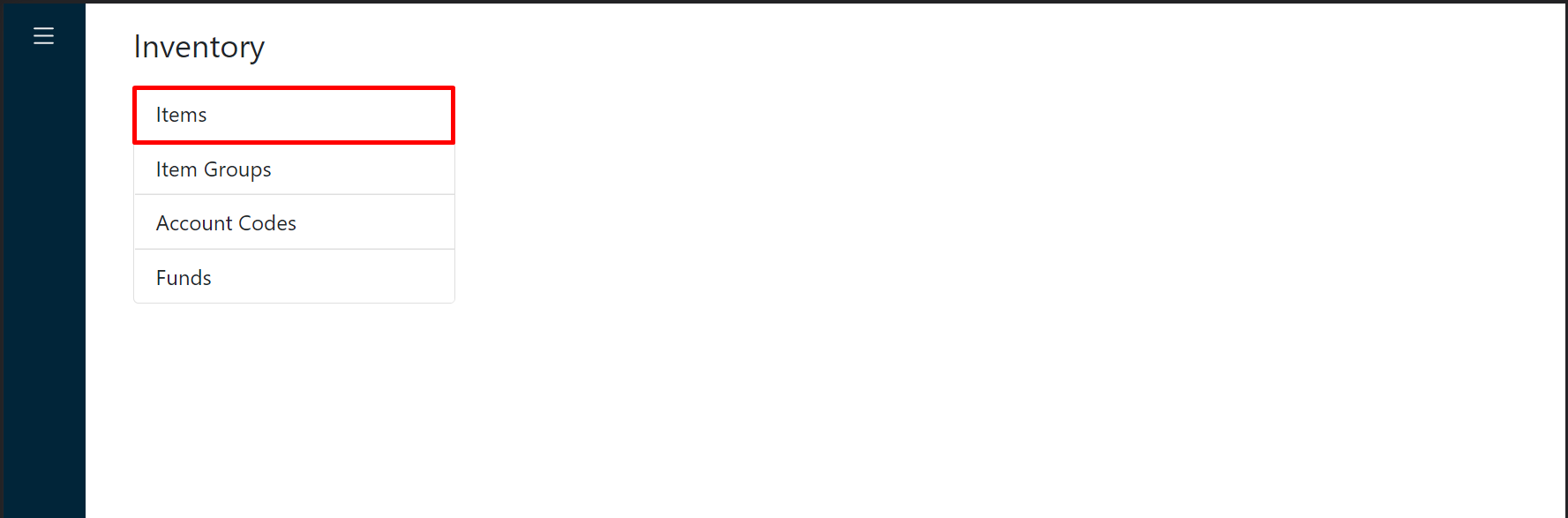
- Click New.

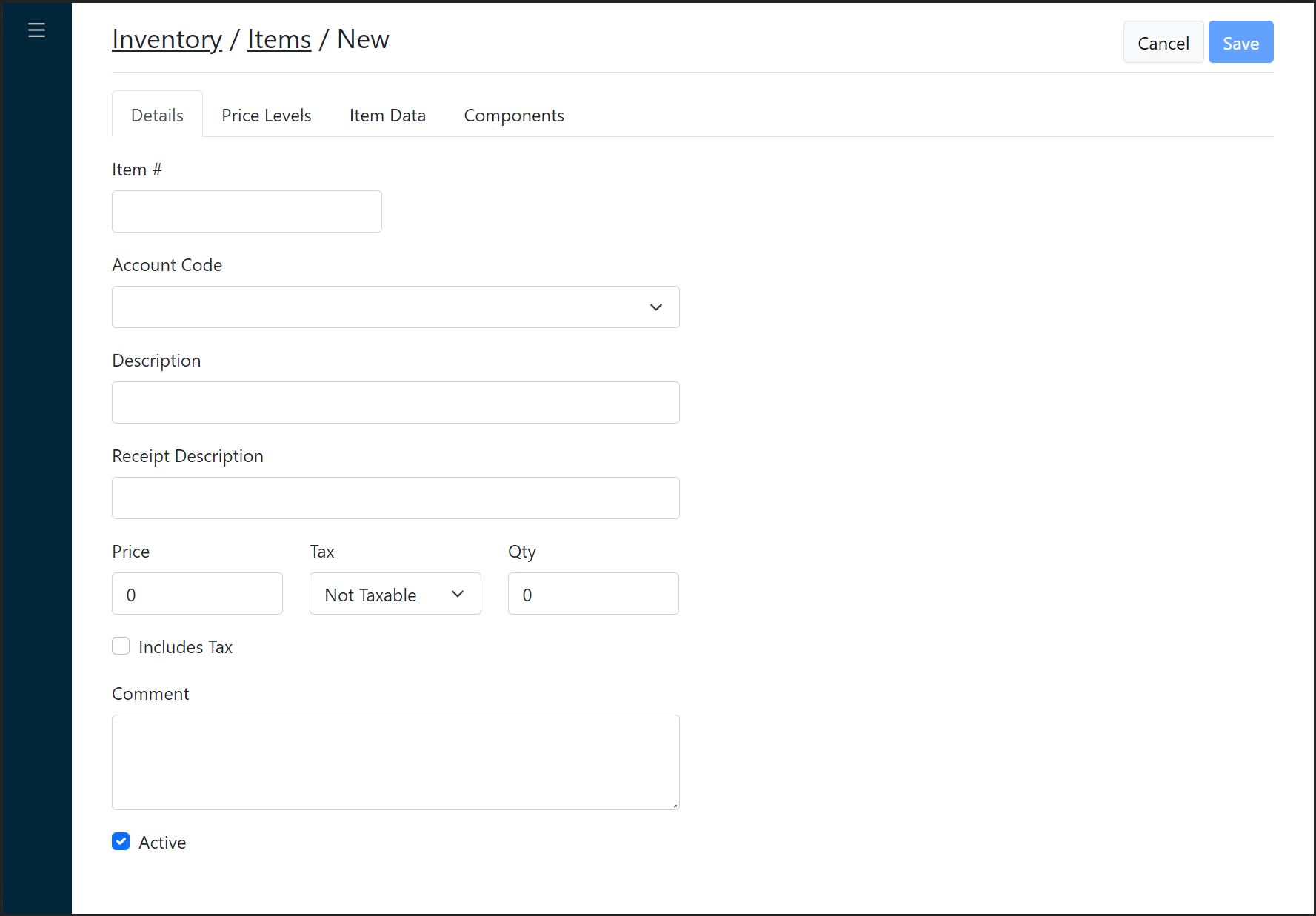
- Complete all the fields.
Additional Information
Ensure all required fields are completed accurately. Refer to the table below for field details.
Field Description Required Item # Alphanumeric identifier ✔ Account Code The associated account code ✔ Description A detailed item description ✔ Receipt Description Short description for receipts ✔ Price Preset price (if applicable) ✘ Tax Applicable tax rate ✘ Quantity Stock quantity ✘ Includes Tax Indicates if the price includes tax ✘ Comment Additional notes or details ✘ - Click Save.