
This guide outlines the steps to clear a fine or fee in the Point of Sale system. Clearing fines or fees requires selecting the appropriate customer, reviewing the fine/fee details, and providing a reason for the action.
Steps to Clear a Fine/Fee
- Go to Point of Sale.
- Lookup and select the customer.
- View their fines/fees.
- Click a fine or fee to reveal additional information.
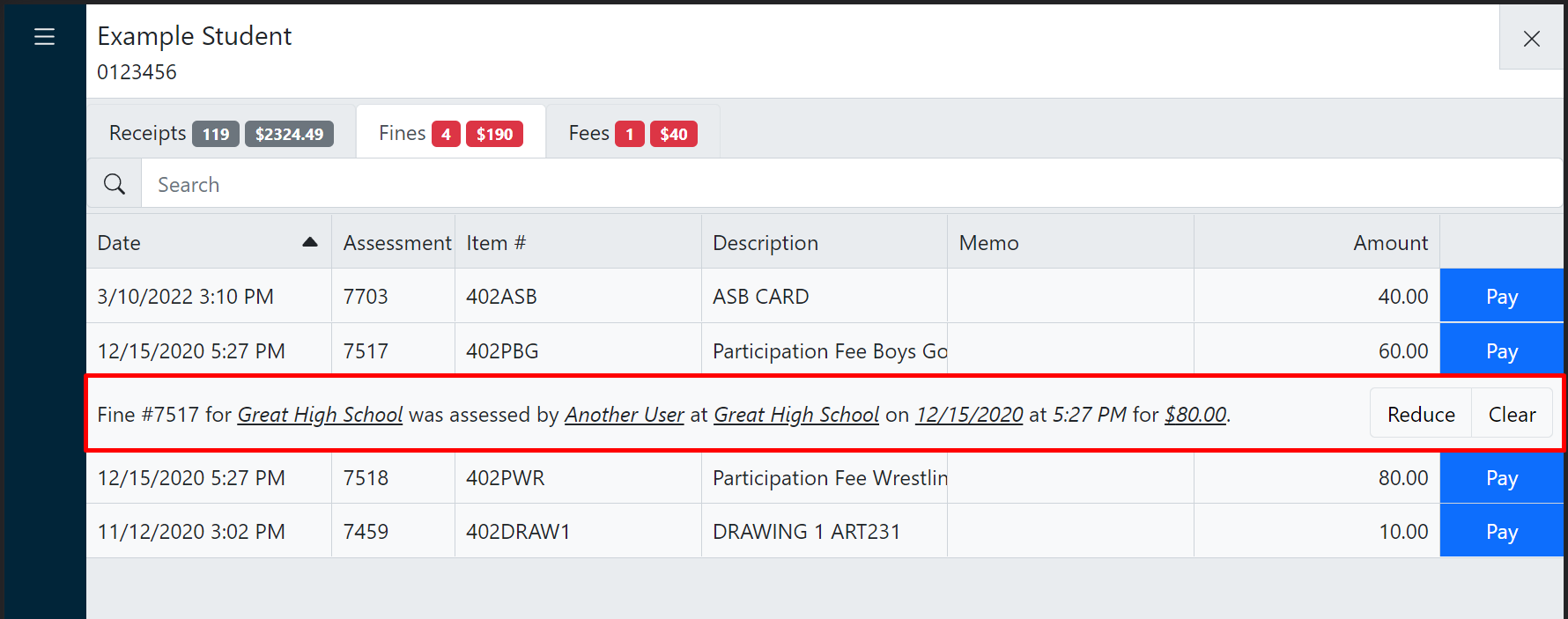
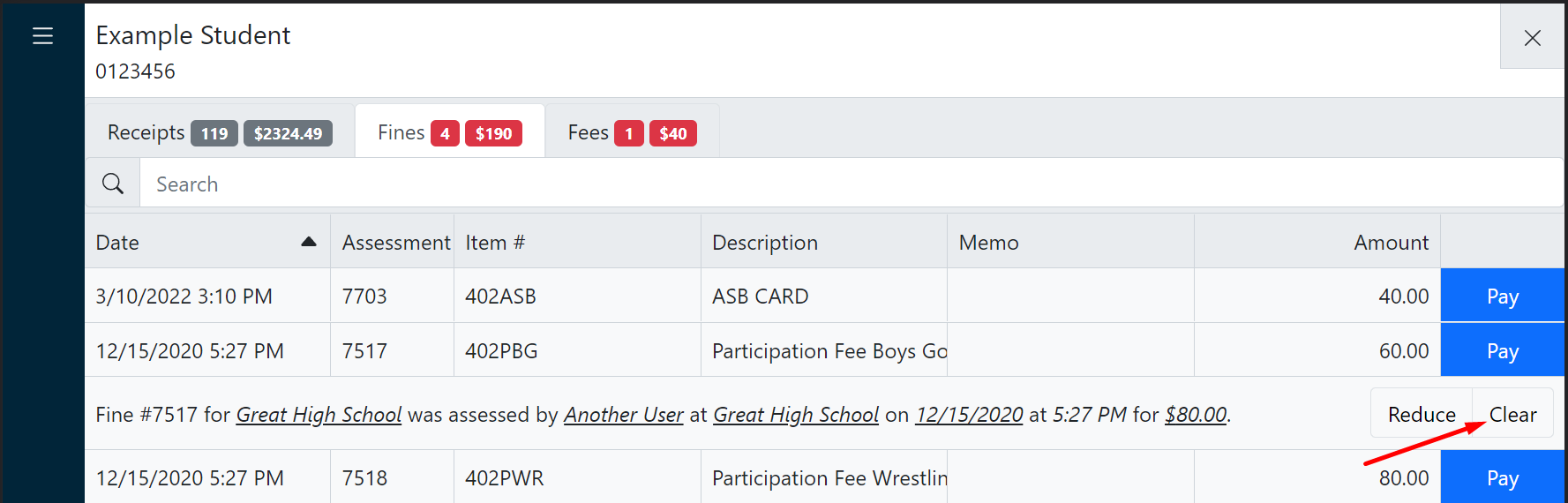
- Click Clear.
- Select the appropriate reason code and optionally enter a memo.
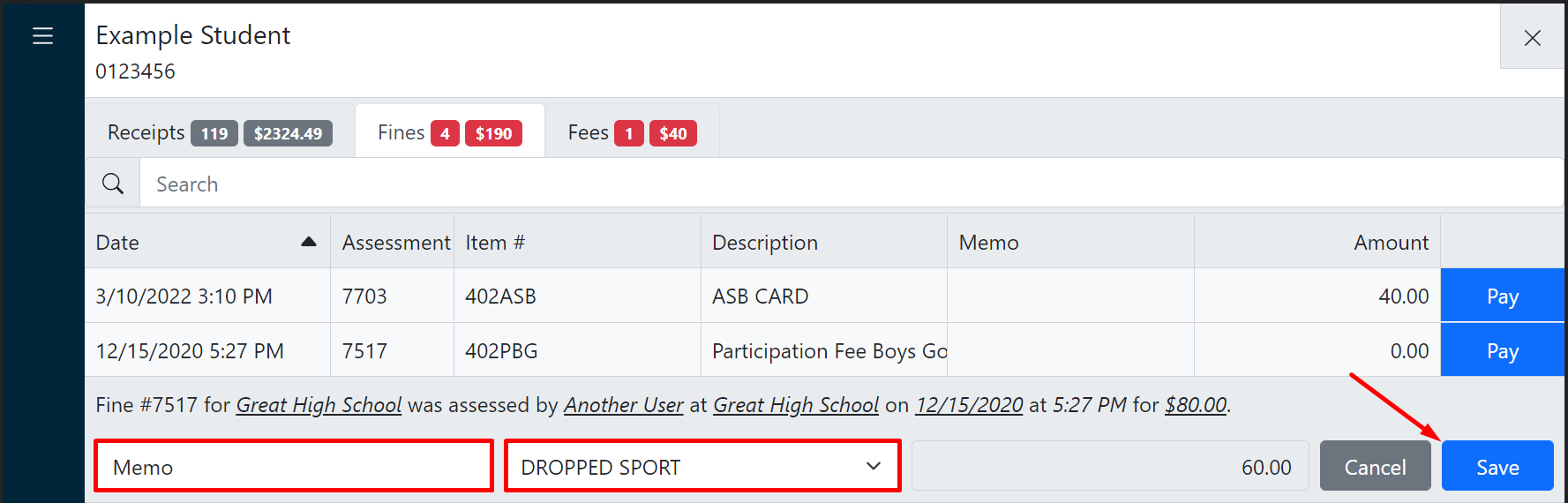
- Click Save.